Release Notes
What's new in PlainSail.
v1.4.90.0
Latest main release
Released July 2026
A packed release, spanning six major areas – a new valuations module, improved billing and invoice approvals, expanded Outlook filing, multi-entity document search, clearer utilisation reporting, and extensive workflow and compliance improvements.
Maintenance updates
- v1.4.92.0
- Updated WebView2.
- v1.4.91.0
- Resolved issue with selecting a previous line item.
Valuation Management
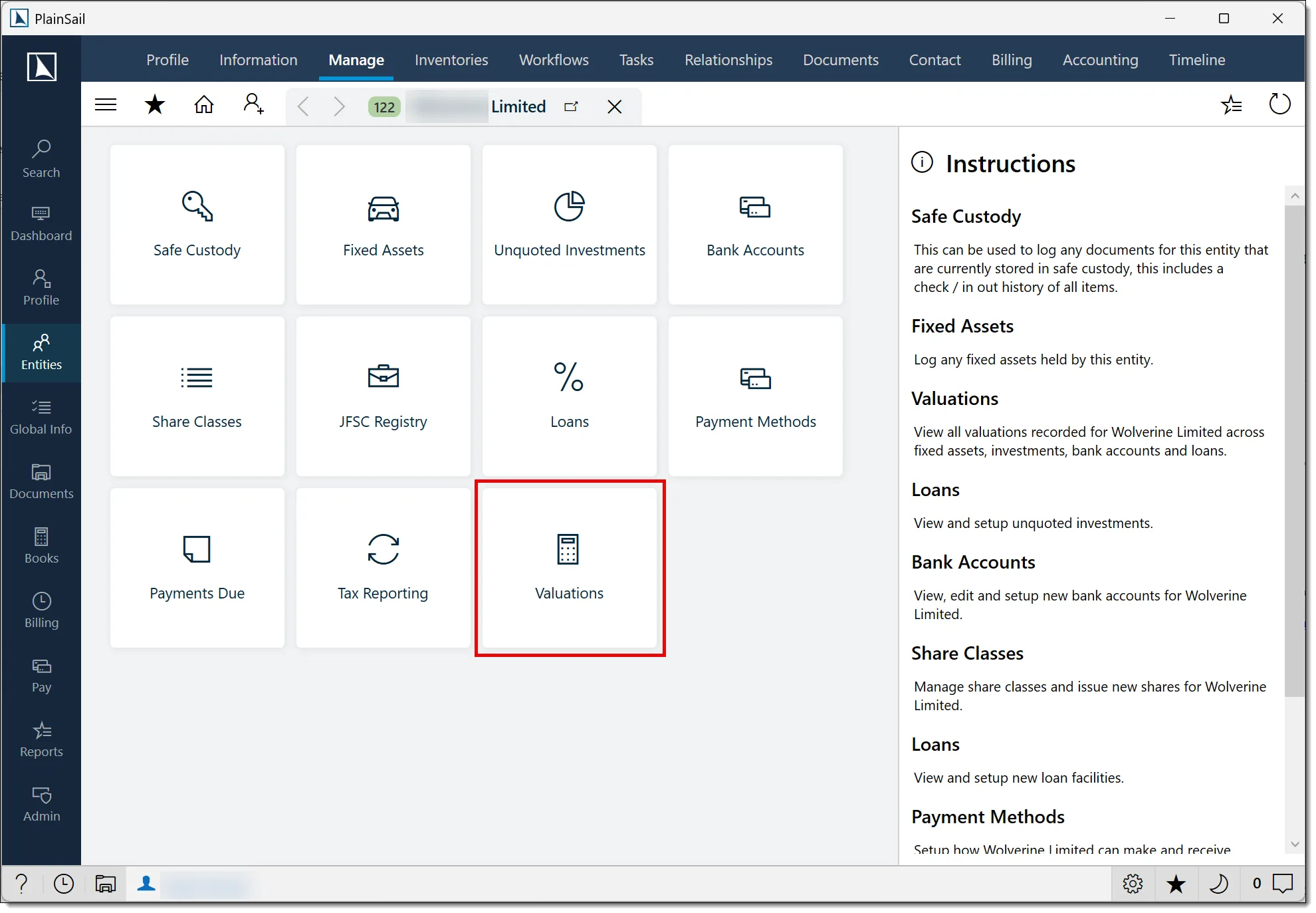
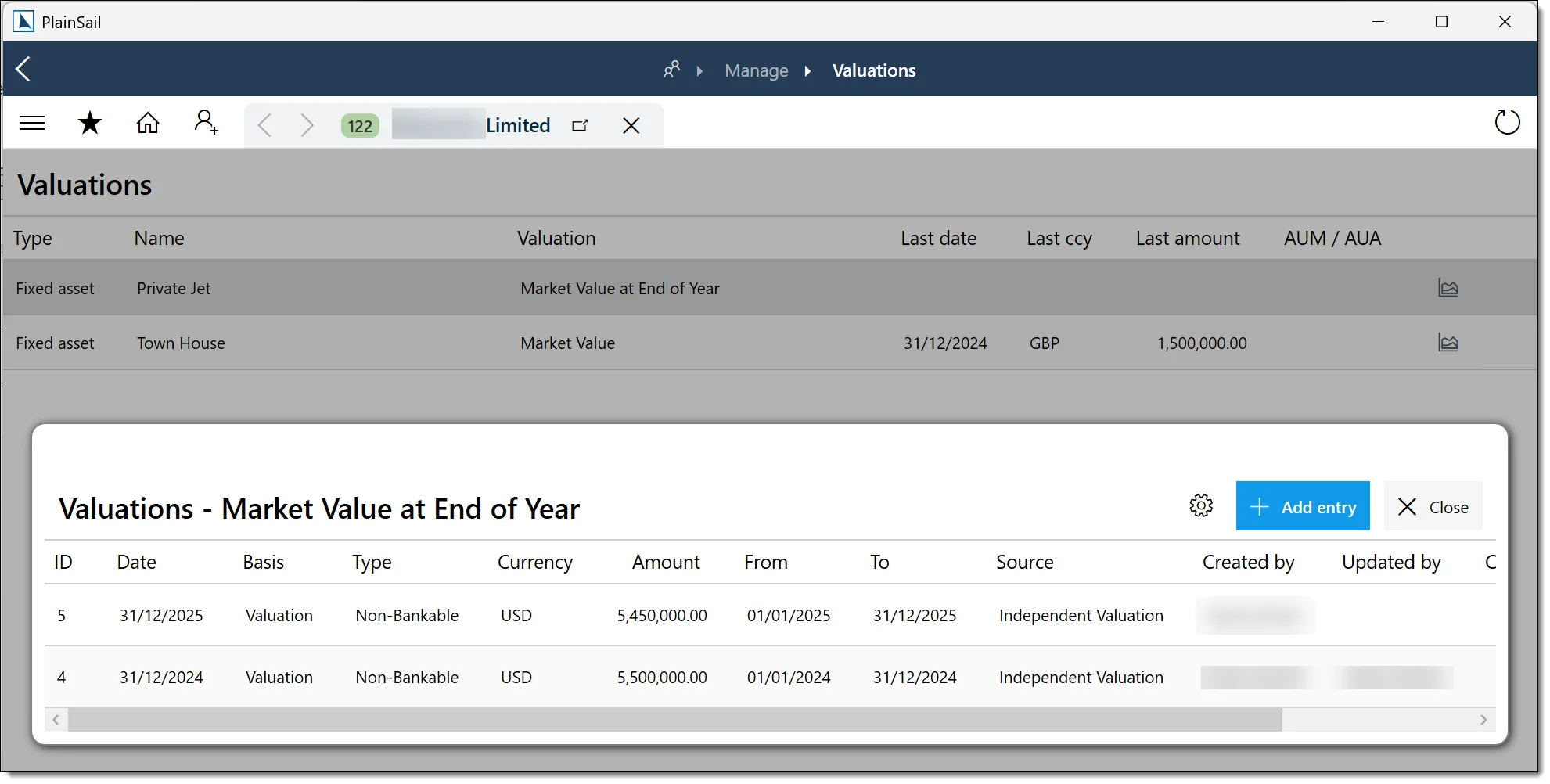
You can now manage valuations directly in PlainSail, with dedicated screens for reviewing entries and importing valuation data from Excel.
- Excel valuation import lets you import valuation data across clients through the administration utilities.
- Valuation lists and editing provide dedicated views for reviewing and maintaining valuation entries.
Billing & Fees
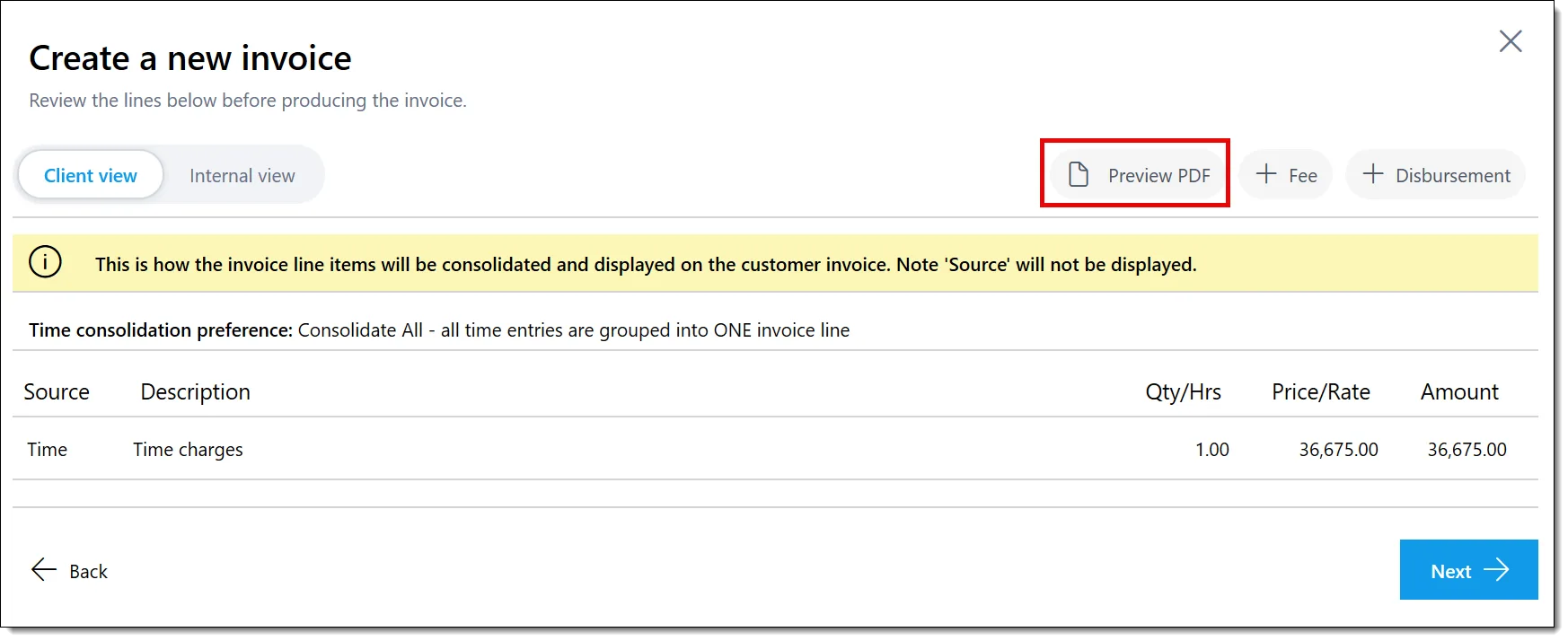
- A new Preview PDF action lets you review an invoice before completing the invoicing process.
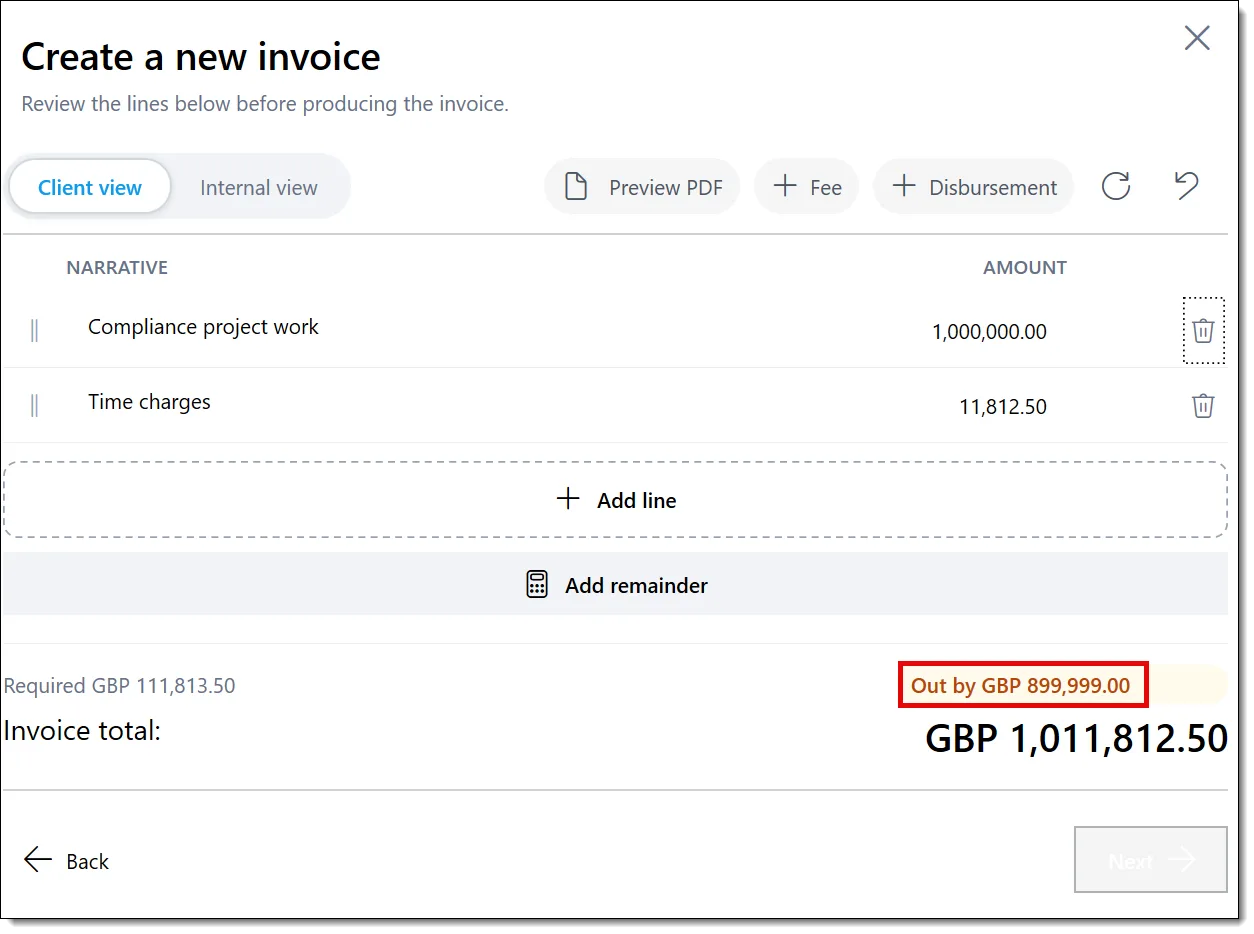
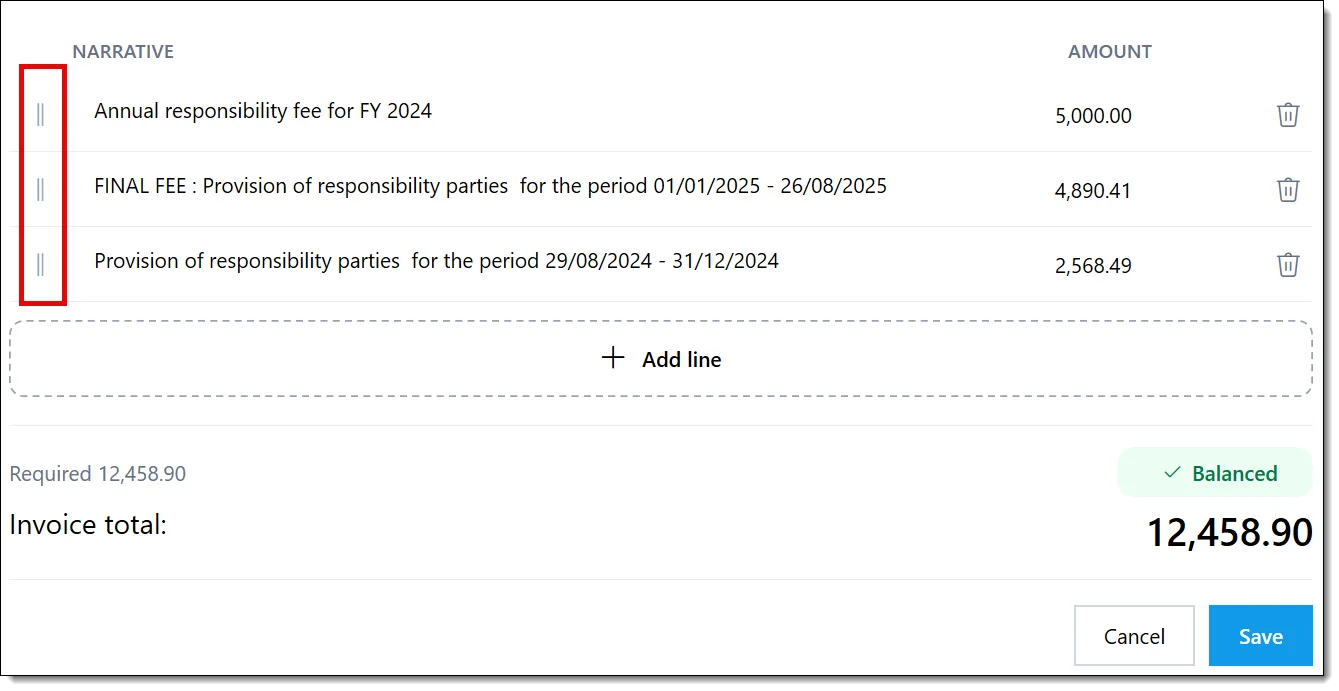
- Overridden invoice lines are validated before preview, with a clear message when their total does not match the original invoice amount.
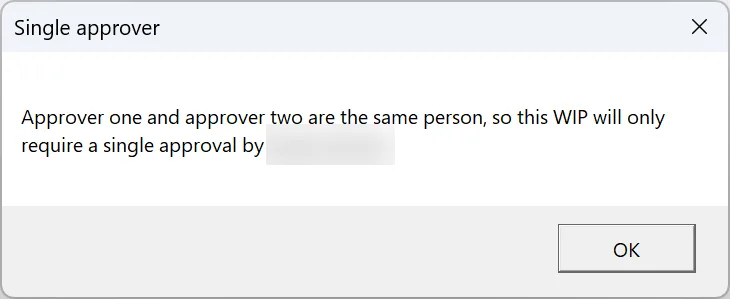
- When both WIP approvers are the same person, PlainSail now explains that only one approval is required.
- WIP approval screens now support keyboard handling consistently when you work through approval lists.
- Overridden WIP line items can be reordered and managed independently of the approval process.
- PlainSail now prevents a time record being created when there is no active fee invoice preference.
- Billable-time preferences are now validated correctly before time is recorded.
Outlook Add-In
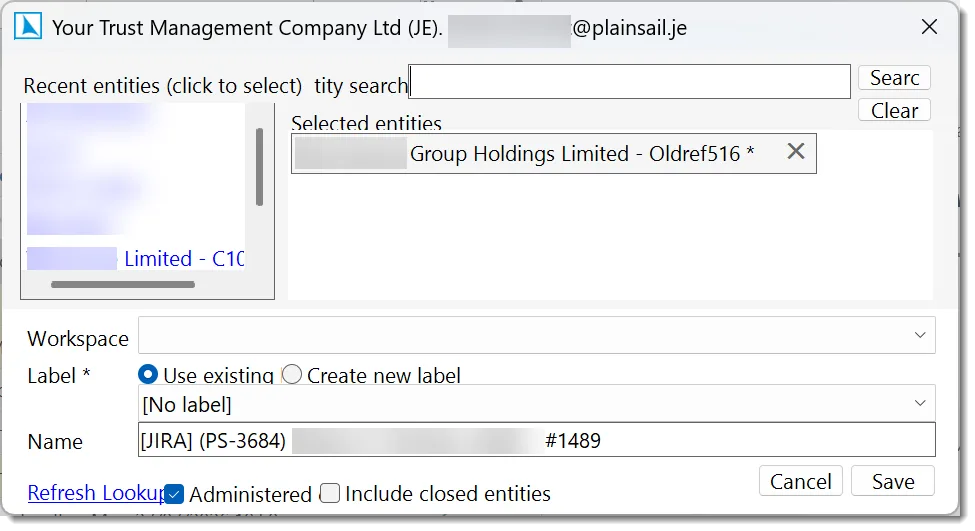
- Automatic inbox filing can save incoming emails to PlainSail while you work in Outlook.
- Fast-tagging lets you add a *ps tag to an email subject to file it to the default fast-tagging workspace for the specified entity.
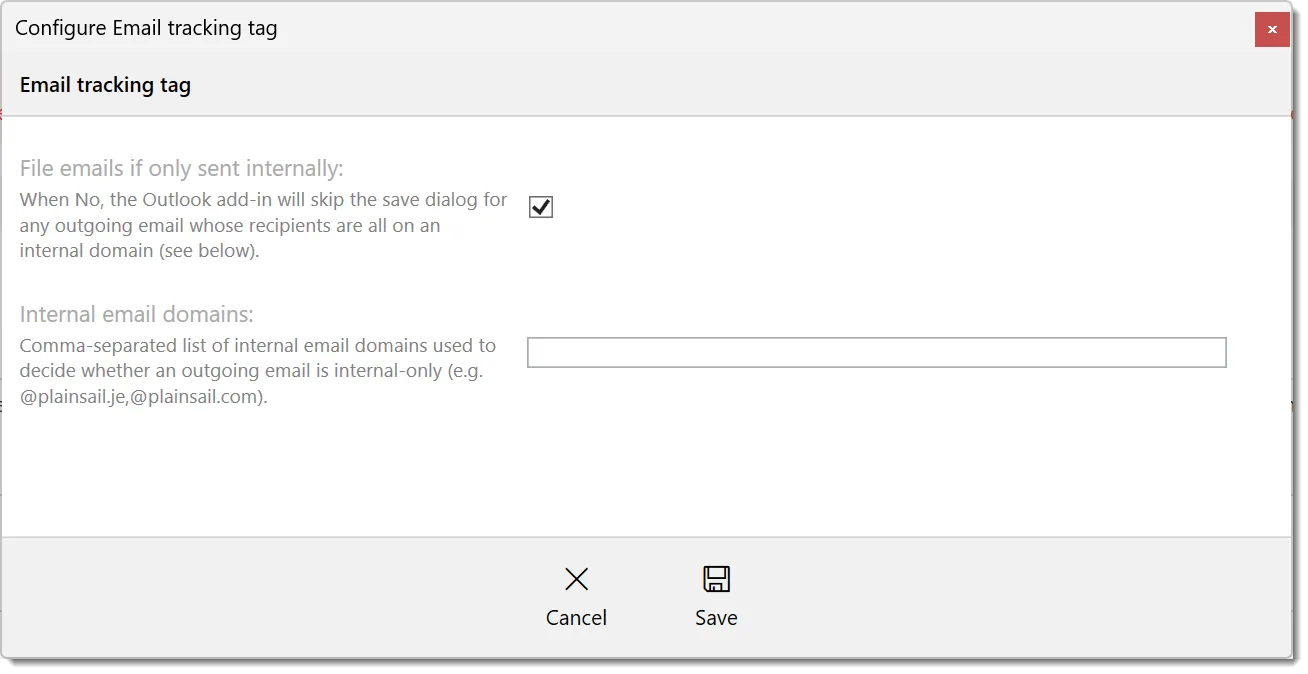
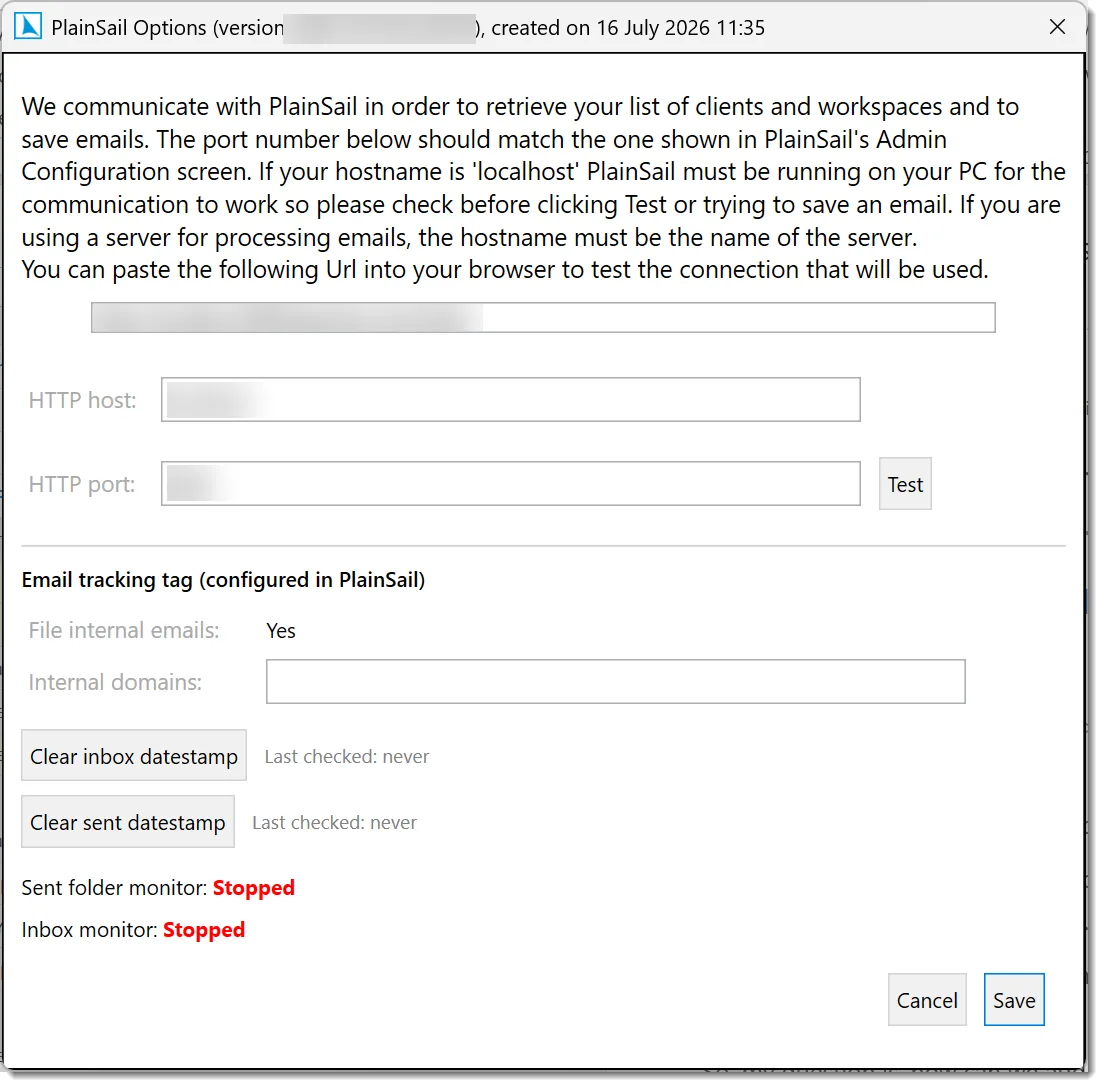
- Internal-only email rules allow emails to be ignored from filing if they are internal-only.
- Duplicate filing protection has been strengthened by recording an email identifier when messages are filed automatically.
- Recent clients allows quick selection of entities to file emails against.
- Connection feedback checks PlainSail availability when Outlook opens and when you save an email, with a clearer message if a connection cannot be made.
Document Management
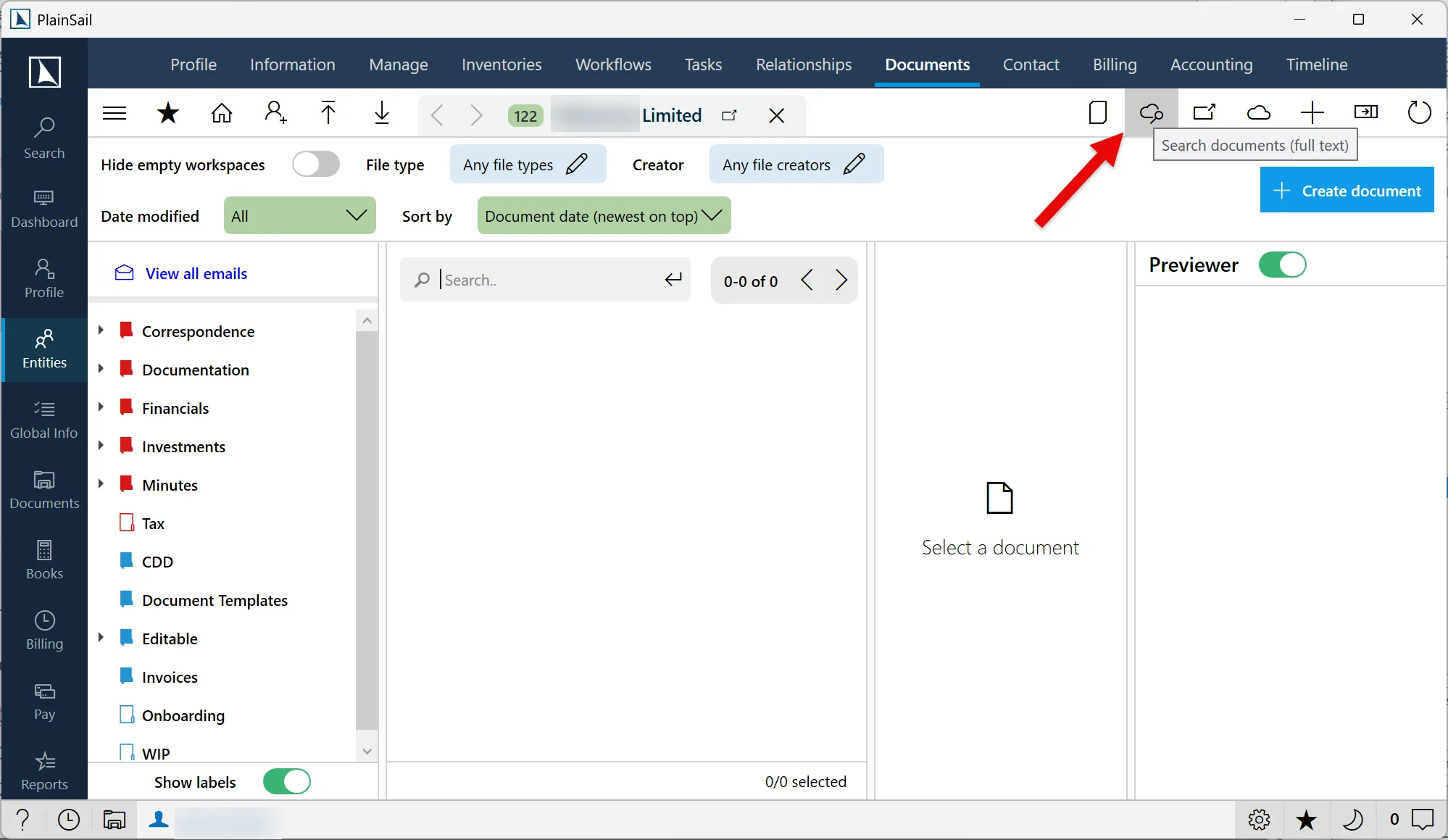
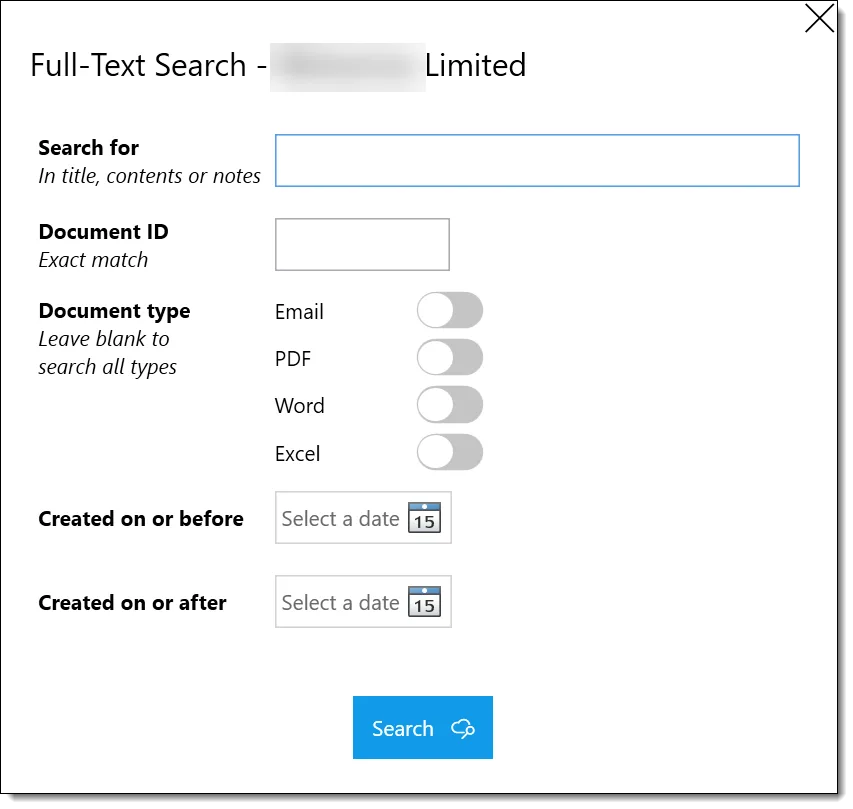
- Group-wide document search lets you search across the entities in a group and navigate directly to an entity from the results (requires Azure AI Search enabled).
- Document-note search includes notes associated with documents when you use Azure AI Search.
- Document circulation / approval now supports additional supporting documents to be attached.
- Full-text search results now handle linked documents more reliably.
- Fast-tagging workspaces can be marked as the default destination for subject-based email filing.
Financial Statements
- Single-period statements can be enabled separately for trust and company accounts where the corresponding statement template supports the option.
- Year-end foreign-exchange revaluation can be enabled when validating dates during the close-year process.
Banking & Integrations
- EWG transaction descriptions now use the improved description supplied by the integration.
- Portfolio defaults can be maintained through a dedicated options screen and applied when managing ledger account plans.
- Investment import charge allocations can be edited directly in the transaction import editor.
Reporting
- The Entity Relationships report can filter by relationship type and include additional address and email information.
- The Selected Transactions report now treats an unavailable ledger detail consistently, preventing valid transactions from being omitted.
- Transaction imports now interpret debit transaction types without requiring an exact text case match.
- FATCA reporting dates display correctly in the reporting-date selector.
- Reports that allow optional responsible-role parameters now support entities without a director, bookkeeper, or equivalent role.
- Empty FATCA/CRS reports now retain their start and end dates.
- Comments in the relevant report are now shown in the correct date order.
- The Entities by Group report includes non-administered entities that do not have a status field.
- The Global Investments report includes generic unquoted investments.
- The Entity Profile and supported client reports include their latest layouts and data updates.
Workflow & Approval Enhancements
- Payment workflows include approval and multi-currency handling for supported payment processes.
- Supported risk-assessment workflows can pre-populate a new inventory from the most recent available inventory.
- Workflow role selection now uses the permitted business-entity view when assigning workflow roles.
- The workflow template viewer opens correctly and supports editing inventory steps.
- Workflow reports use the correct date format and work with the updated workflow data structure.
- Background workflow recovery now reschedules orphaned steps when they are unblocked.
FATCA / CRS
- PlainSail now uses the FATCA 2.0.1 schema and keeps FATCA and CRS version settings separate.
- FATCA parent-company cases now produce a report correctly.
- Person records are excluded from the relevant top-company searches.
- GIIN validation provides clearer handling of missing or invalid values.
UI & Usability Improvements
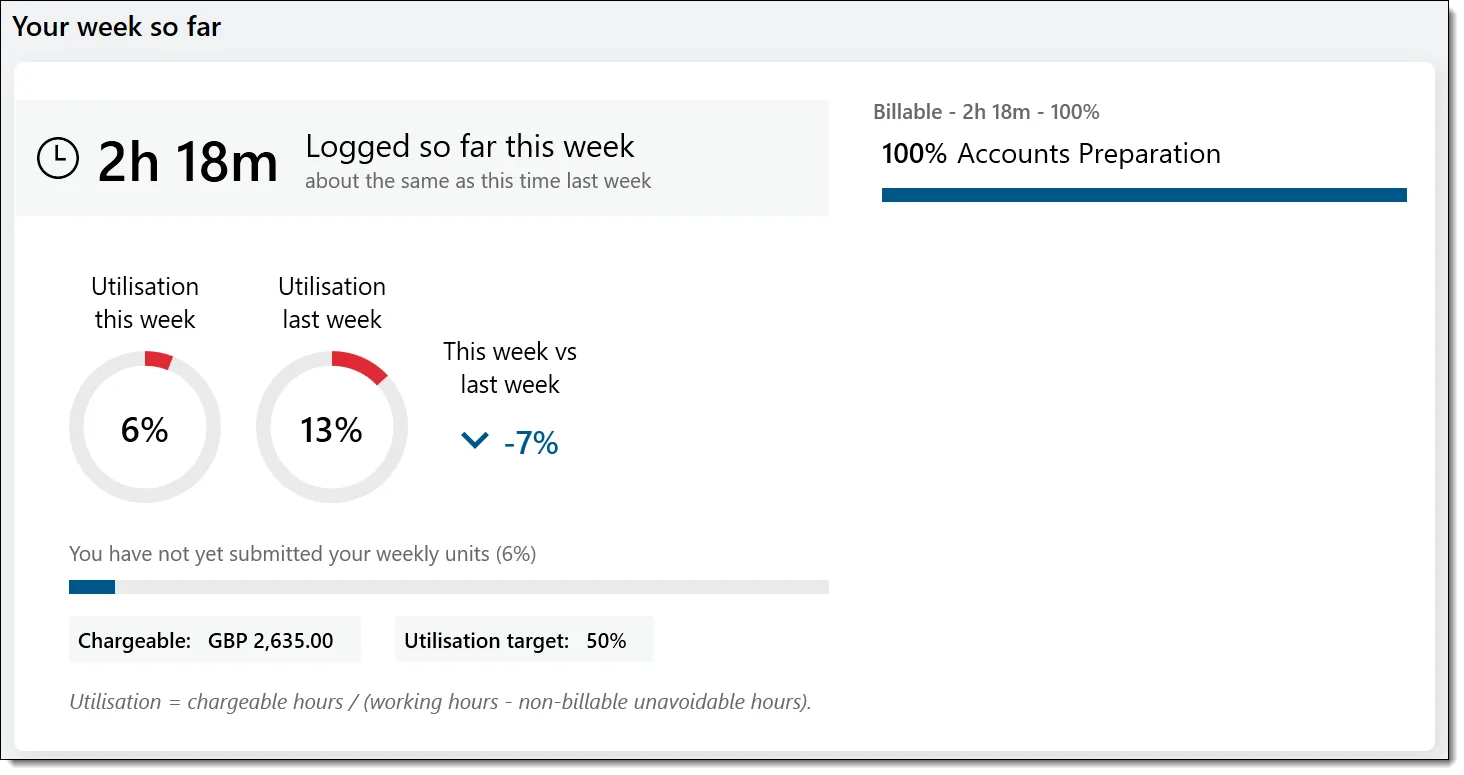
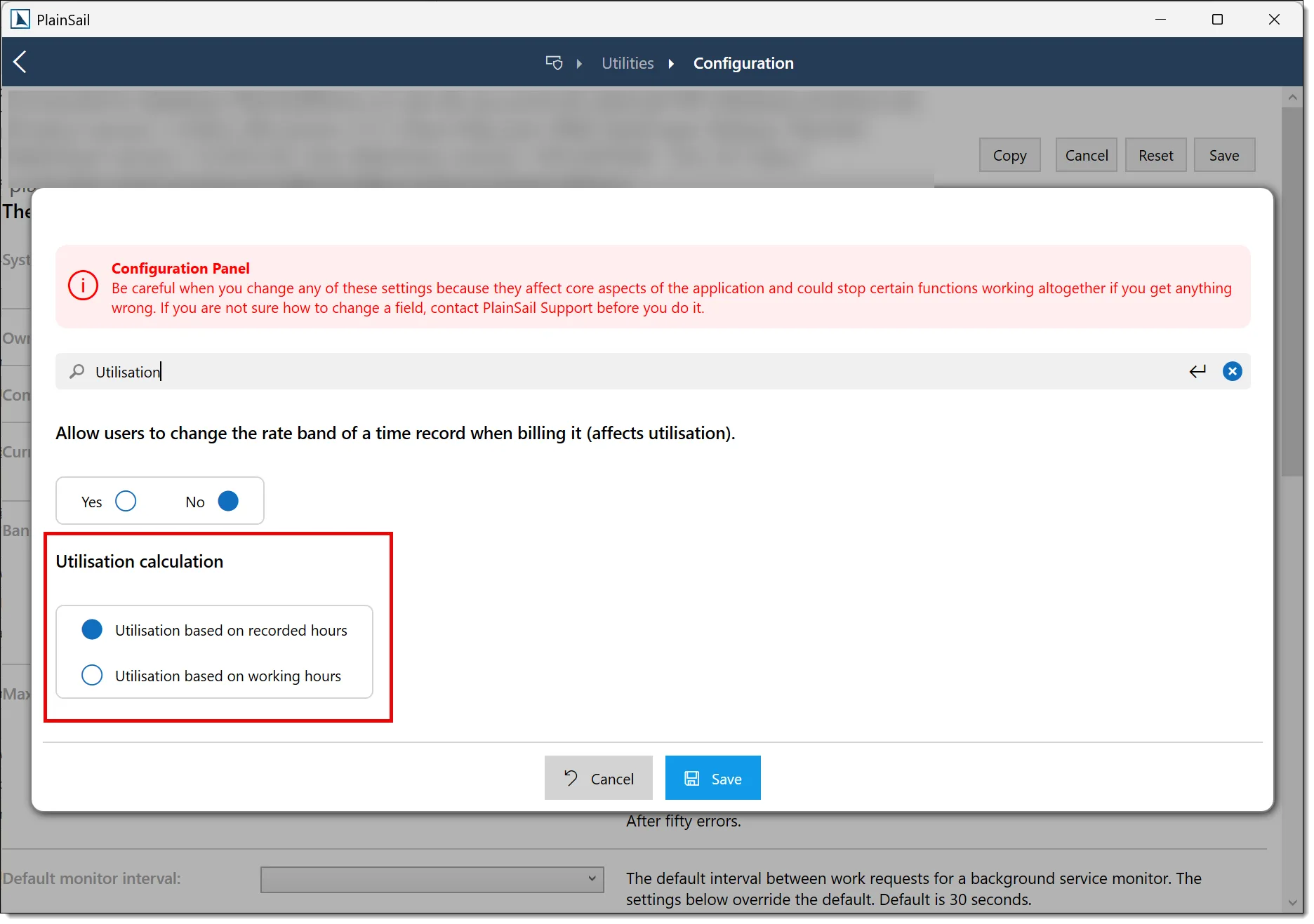
- A redesigned utilisation widget provides clearer information, with a configurable alternative calculation method for organisations that require it.
- Inventory inline lists can be displayed as radio buttons where a single visible choice is more suitable.
- The circulate-document selector now opens correctly and provides clearer supporting-document and approval controls.
- Address handling now uses City consistently in place of the former Tax City wording.
- Address document markers align correctly without unwanted indentation.
- Pressing Enter while selecting a ledger no longer also reloads the ledger picker.
Compliance
- SIC codes are available as standard property-bag values for entity classification.
Entity & Profile Management
- Entity merging now preserves profile information when records are combined.
Administration & Utilities
- Log off all users can automatically block further logins when its countdown finishes.
- Background task monitoring separates general, workflow, screening and external-report queues for more reliable processing and clearer administration.
Performance
- Account balance and tax obligation caching reduces repeated loading during supported financial work.
- Screen closing has been improved to release resources more reliably during extended use.
v1.4.80.0
Released April 2026
One of our largest releases to date – pop-out client windows, a completely rebuilt structure chart, workflow PDF export, new bank import formats, granular permission roles, and major performance improvements.
Pop-Out Client Windows
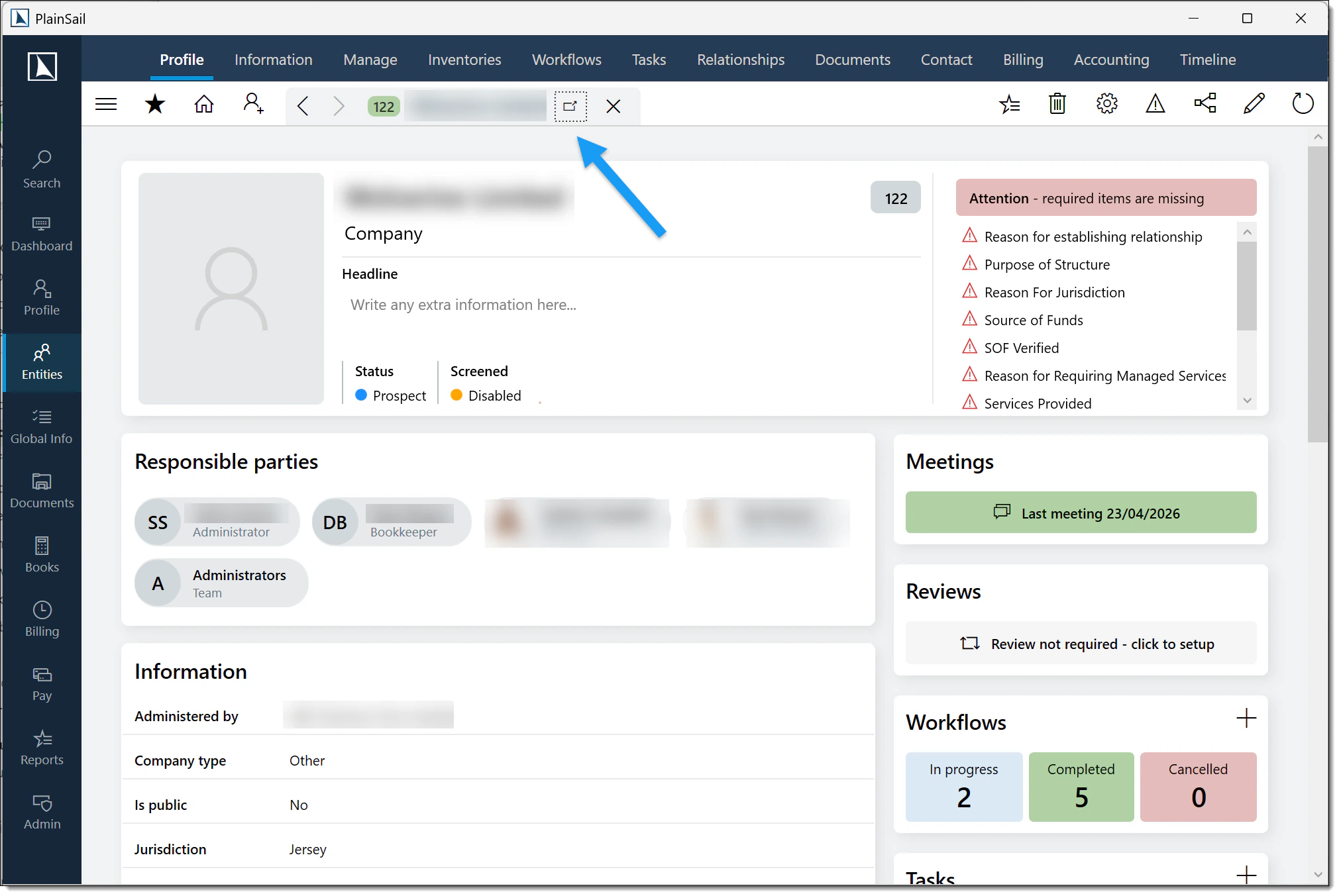
You can now open any client view in its own independent window, letting you work on multiple clients at the same time without losing your place in the main window.
- Each pop-out has full sub-tab navigation, back-link support, and keyboard shortcuts (Escape, Ctrl+Left/Right).
- Permission-aware – tabs you do not have access to are hidden automatically.
- Pop-up dialogs and overlays appear in the correct window, not the main one.
- Open up to 5 pop-out windows at once for true side-by-side multi-client working.
Rebuilt Structure Chart
The structure chart has been completely rewritten from the ground up – both the visual front-end and the back-end traversal engine.
What you will see
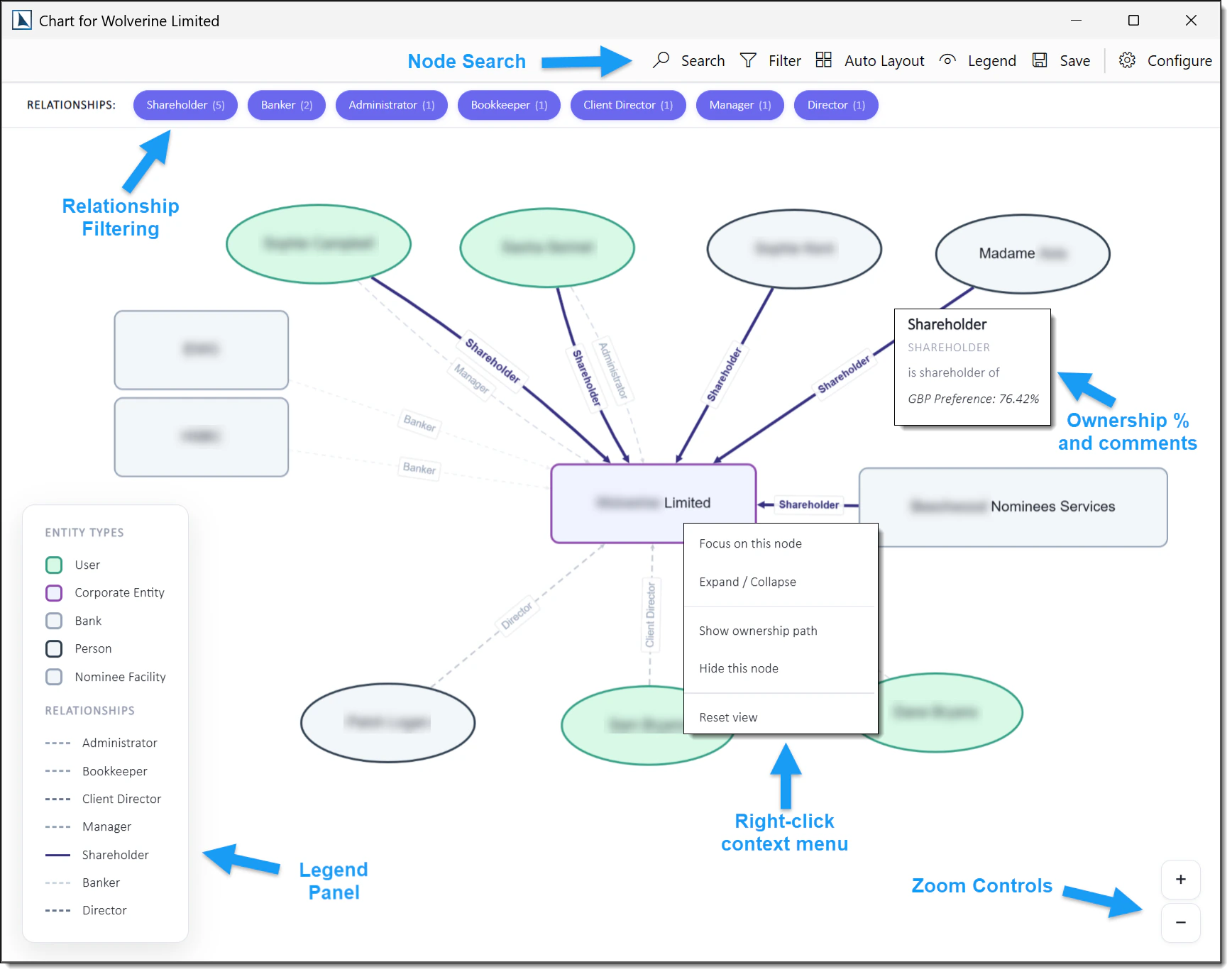
- A clean hierarchical layout (top-down directed graph) powered by a new rendering engine.
- An interactive minimap for orientation on large charts.
- Zoom controls and a node search box to jump straight to any entity.
- Relationship filtering – choose which relationship types to display.
- Right-click context menu on any node: focus, expand/collapse, show ownership spine, or hide the node.
- Breadcrumb navigation when you drill into a focused node, so you always know where you are.
- A legend panel showing entity type shapes, colours, and relationship line styles.
- Circular ownership detection – cycles are automatically flagged visually so you can spot them immediately.
- Ownership percentages and comments displayed on relationship lines.
- Save chart as PNG for use in documents or presentations.
Configuration & customisation
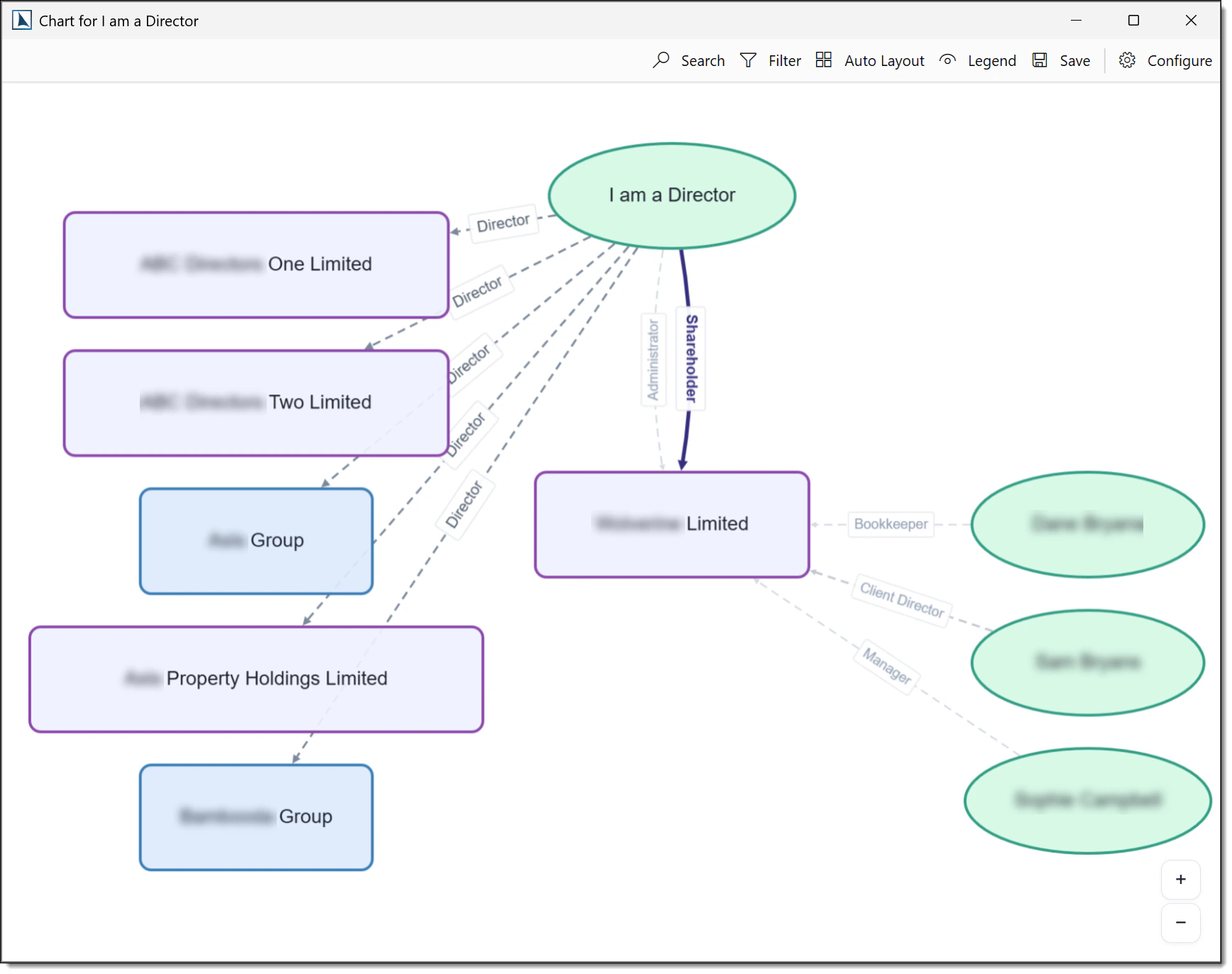
- The new traversal engine keeps charts clean and readable. If one person holds roles across many entities (e.g. a Director of ten companies), the chart now groups those connections neatly rather than drawing every link outward and cluttering the view.
- You can configure per-relationship-type drill modes – control whether the chart follows a relationship to the next depth, or stops.
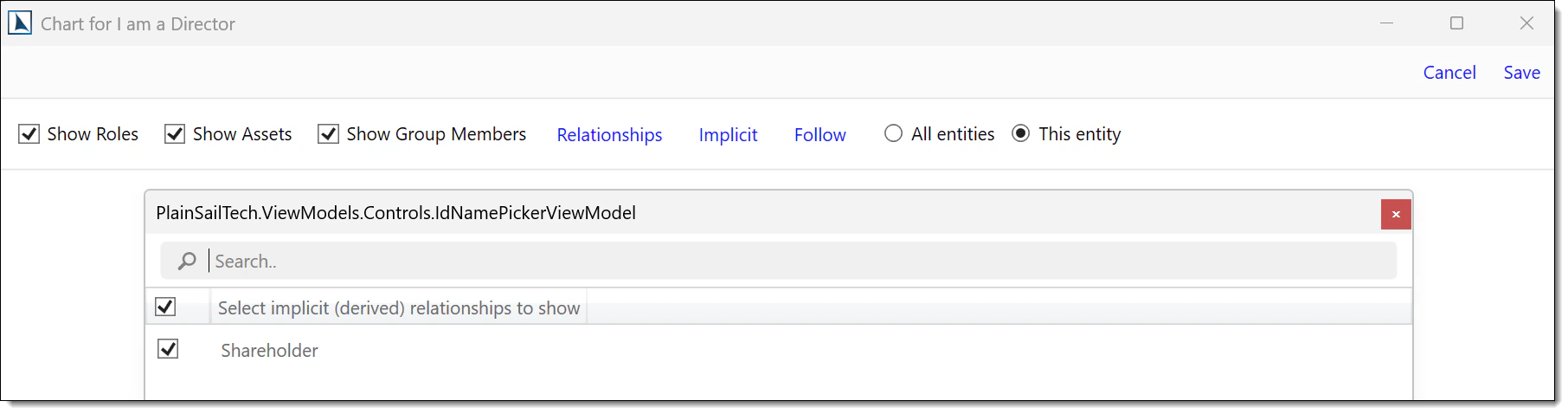
- Select specific implicit relationships to include instead of all-or-nothing.
- Entity shapes (ellipse, diamond, hexagon, etc.) are configurable per entity type.
- Configuration can be saved per-entity or globally.
Export Workflows to PDF
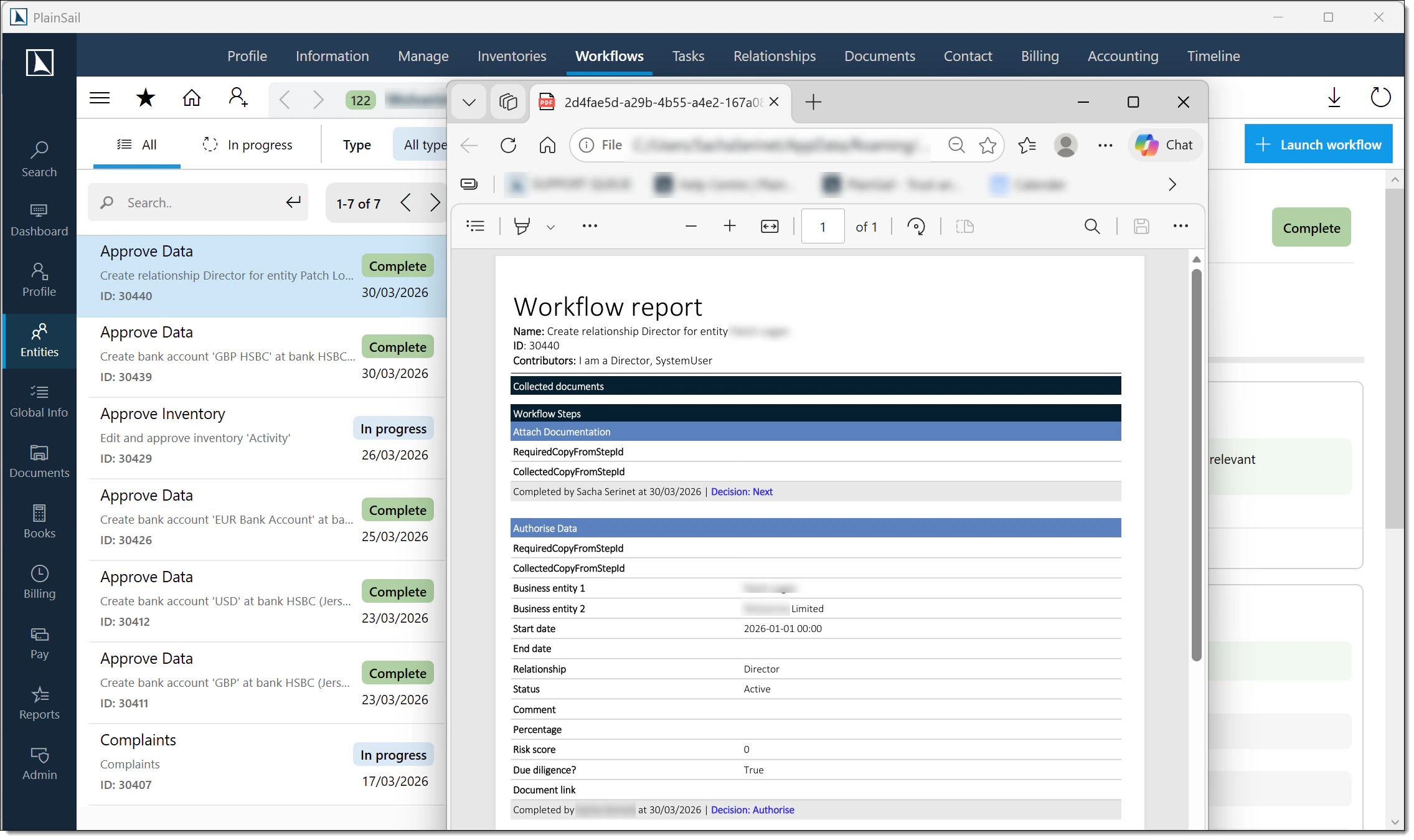
You can now export a completed or in-progress workflow to a PDF document, making it easy to share workflow results with colleagues or attach them to records outside of PlainSail.
Spreadsheet Transaction Importer
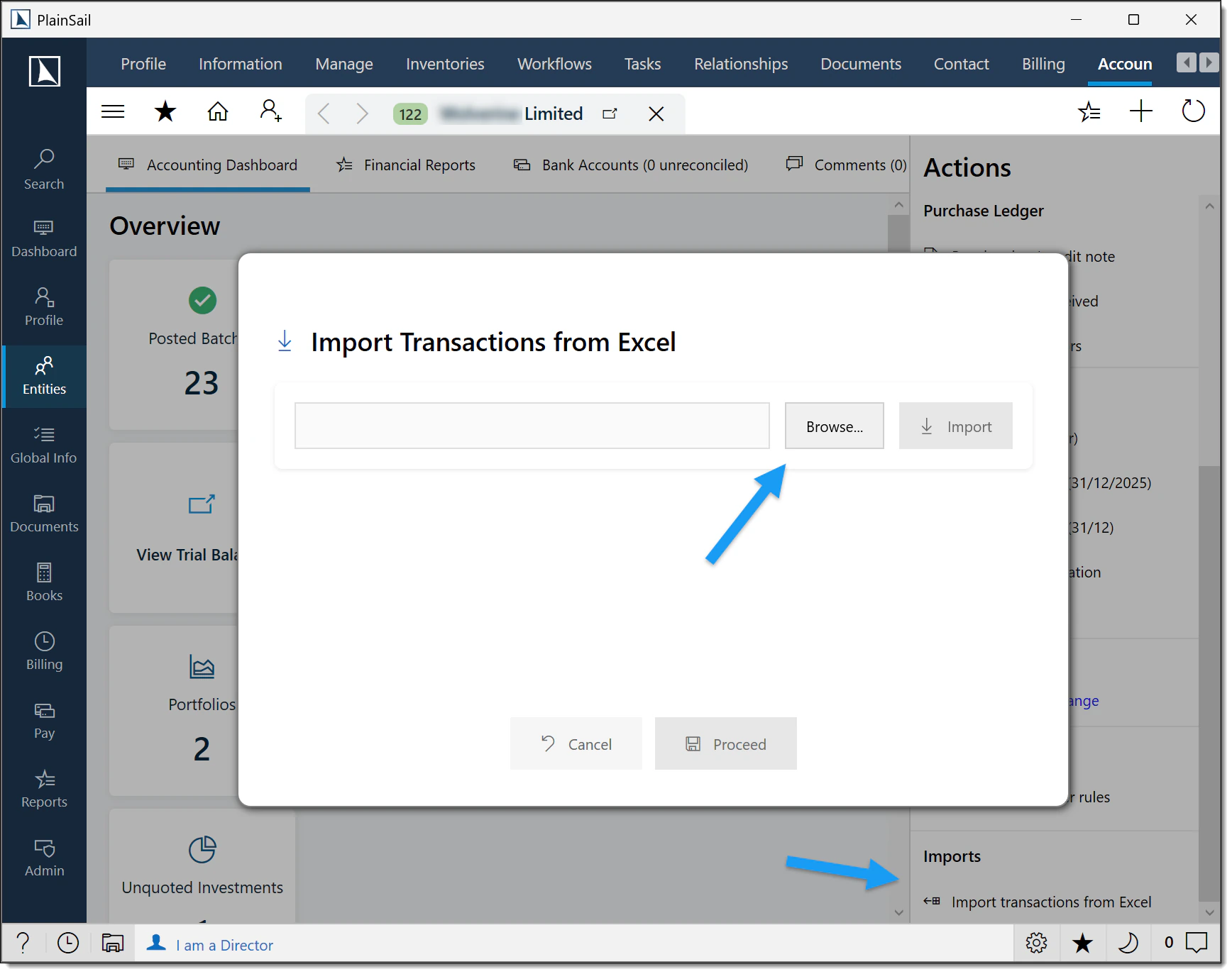
A powerful new feature lets you import bookkeeping transactions from an Excel spreadsheet (.xlsx / .xls).
- Full validation is run before any data is created – the system checks entity IDs, ledger codes, currencies, subledger rules, and more (13 validation rules in total).
- Optional invoice reference and credit note reference columns let you link imported transactions to existing invoices or credit notes automatically.
- A dedicated import screen shows you a preview with any validation errors highlighted, so you can fix issues before proceeding.
- Once validated, transactions are created as a manual journal batch.
New Bank Import Formats
Three new bank statement import formats are now supported.
Barclays BAI2
- Supports the BAI2 (Bank Administration Institute v2) format used by Barclays for bulk statement delivery.
- Automatically normalises 12-digit account numbers (strips the 4-digit bank identifier) for matching.
- Correctly handles credit and debit type codes and converts minor-unit amounts to major units.
Butterfield
- New import support for Butterfield bank statements.
Mashreq (XLSX)
- Supports importing Mashreq Dubai bank statements in Excel (.xlsx) format.
- Because Mashreq files do not contain an account number or currency, the import requires you to select the target bank account – PlainSail resolves the account code and currency from your records.
Debits & Credits in a Single Column
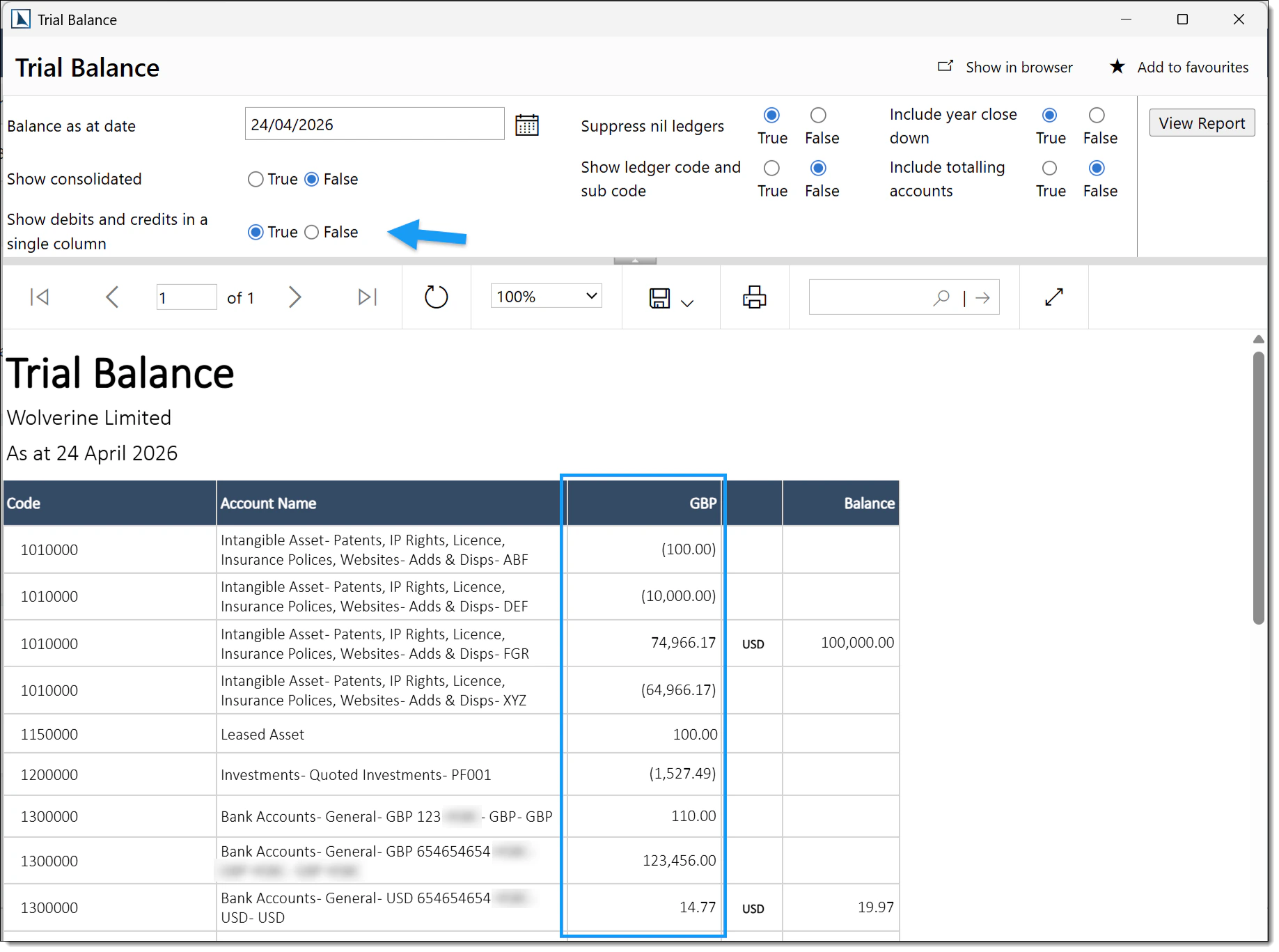
A new option on the Trial Balance report lets you display debits and credits in a single combined column instead of two separate columns. This also exports correctly to Excel.
FATCA / CRS Improvements
- Background report generation – FATCA/CRS reports can now optionally be created on a background task, keeping the UI responsive for large report runs.
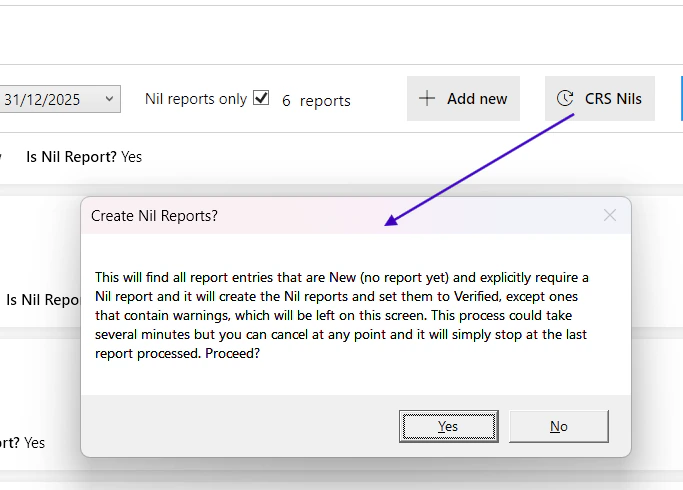
- CRS Nil reports – PlainSail can now generate Nil reports for CRS, keeping you compliant with jurisdictions that require a Nil filing for every reportable entity. Bulk creation, verification and submission tools are built in.
- Text comparison view – a new visual comparison control lets you compare two report text files side-by-side.
- Cancellable progress window – long-running report generations (e.g. Nil report batches) now show a progress window with a cancel option.
- Entity permissions on FATCA screens – access to FATCA screens is now governed by entity-level permissions, so users only see data for entities they have access to.
- Improved GIIN validation.
Permissions & Security
New review permission roles
Two new roles give you fine-grained control over entity review settings:
- Entities_ReviewRequired_Edit – controls who can toggle the “Review Required” slider on an entity. Without this role, the slider is disabled.
- Entities_ReviewDates_Edit – controls who can edit the Last Review Date and Next Review Date fields. Without this role, the date fields are disabled.
New task deletion role
- A new UserTasks_Delete role controls visibility of the Delete button on user tasks.
- Only users with this role will see the Delete button – it is completely hidden for everyone else.
- The role is automatically granted to groups that have the existing Agenda_Edit permission.
Administered status role split
- A new split role separates the ability to edit the administered status from the ability to change an entity to be administered.
- This means users can now create prospects without needing full administered-entity permissions.
Administered filter
The Administered Filter setting is now applied consistently on application startup.
Reporting
New reports & report features
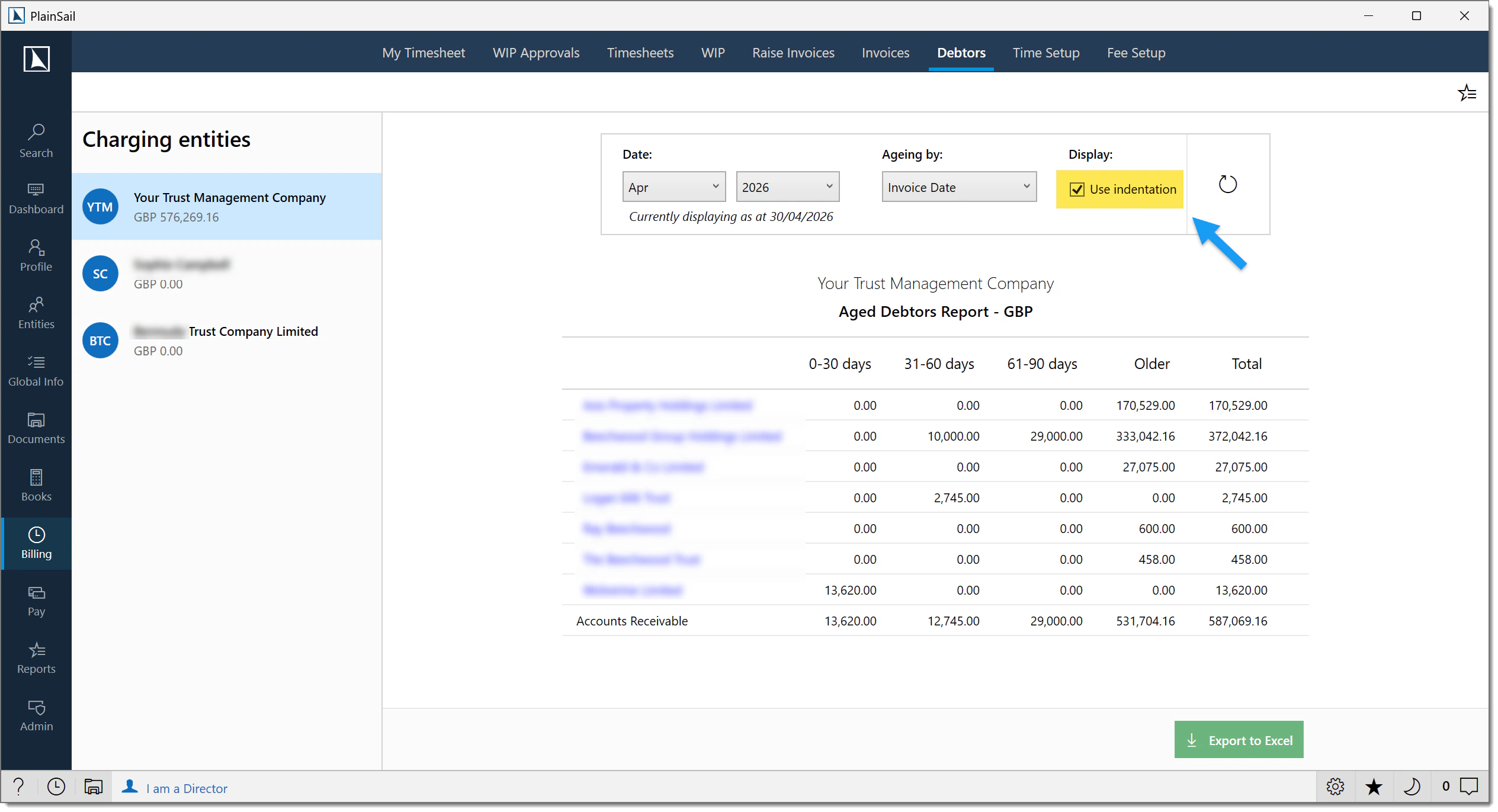
- Aged Debtors indentation toggle – a new button lets you switch indentation on or off.
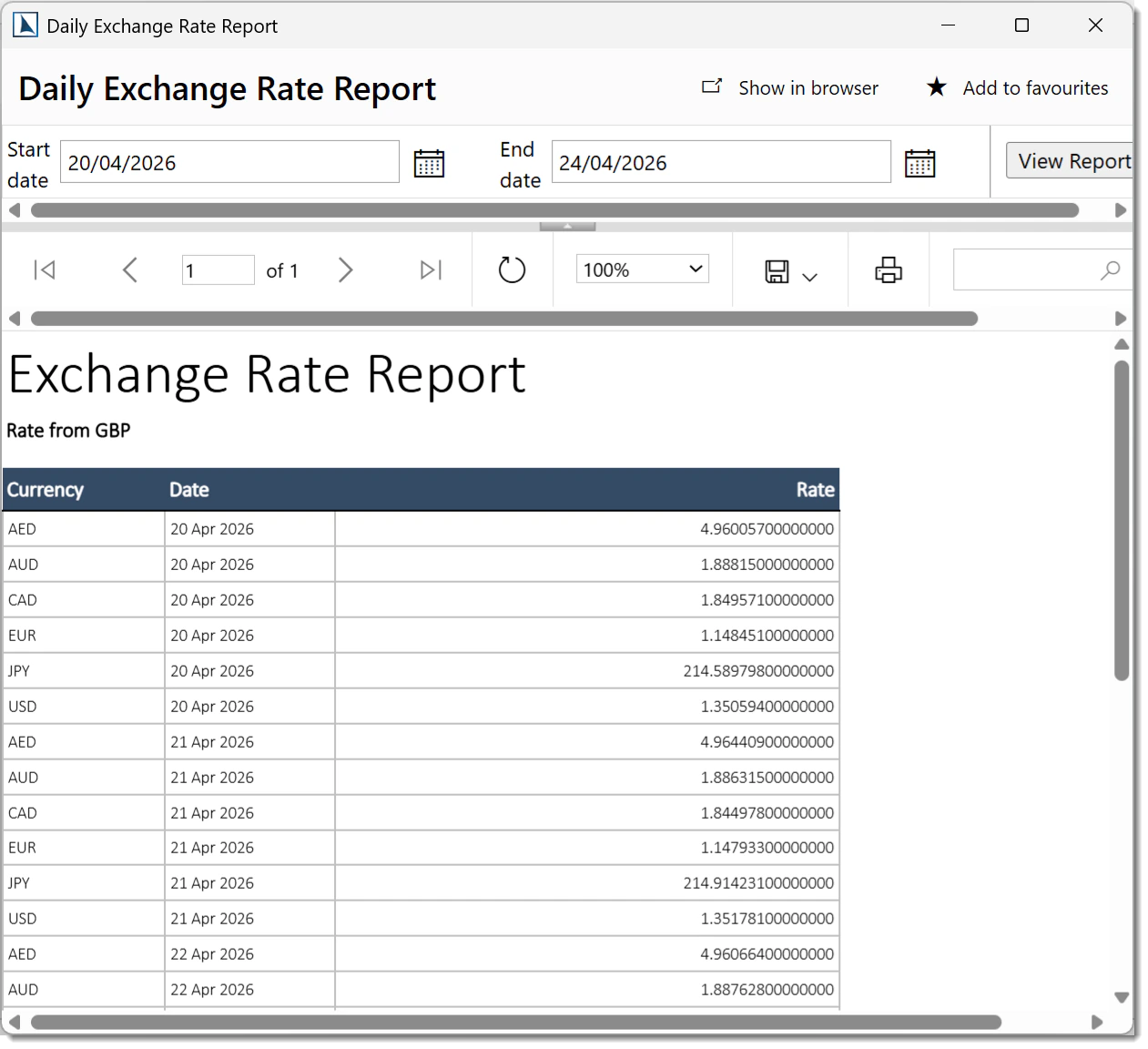
- Multiple days in Daily Exchange Rate Report – you can now select multiple days in a single report run.
- Group by team or director – reports that support grouping now let you choose to group by team or by director, and then filter on your chosen group.
- Shareholders Source of Wealth report – brand-new report.
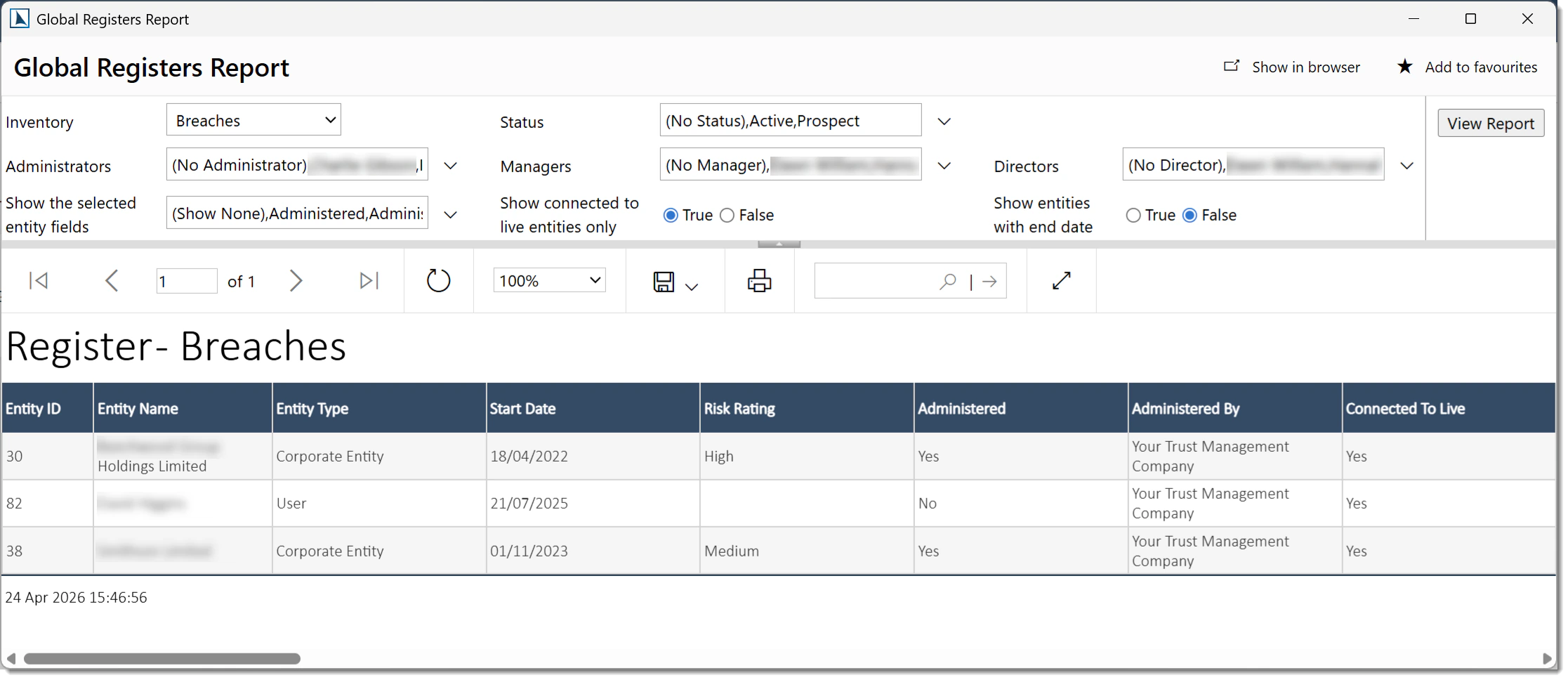
- Global Registers report – replaces individual register reports with a single consolidated report.
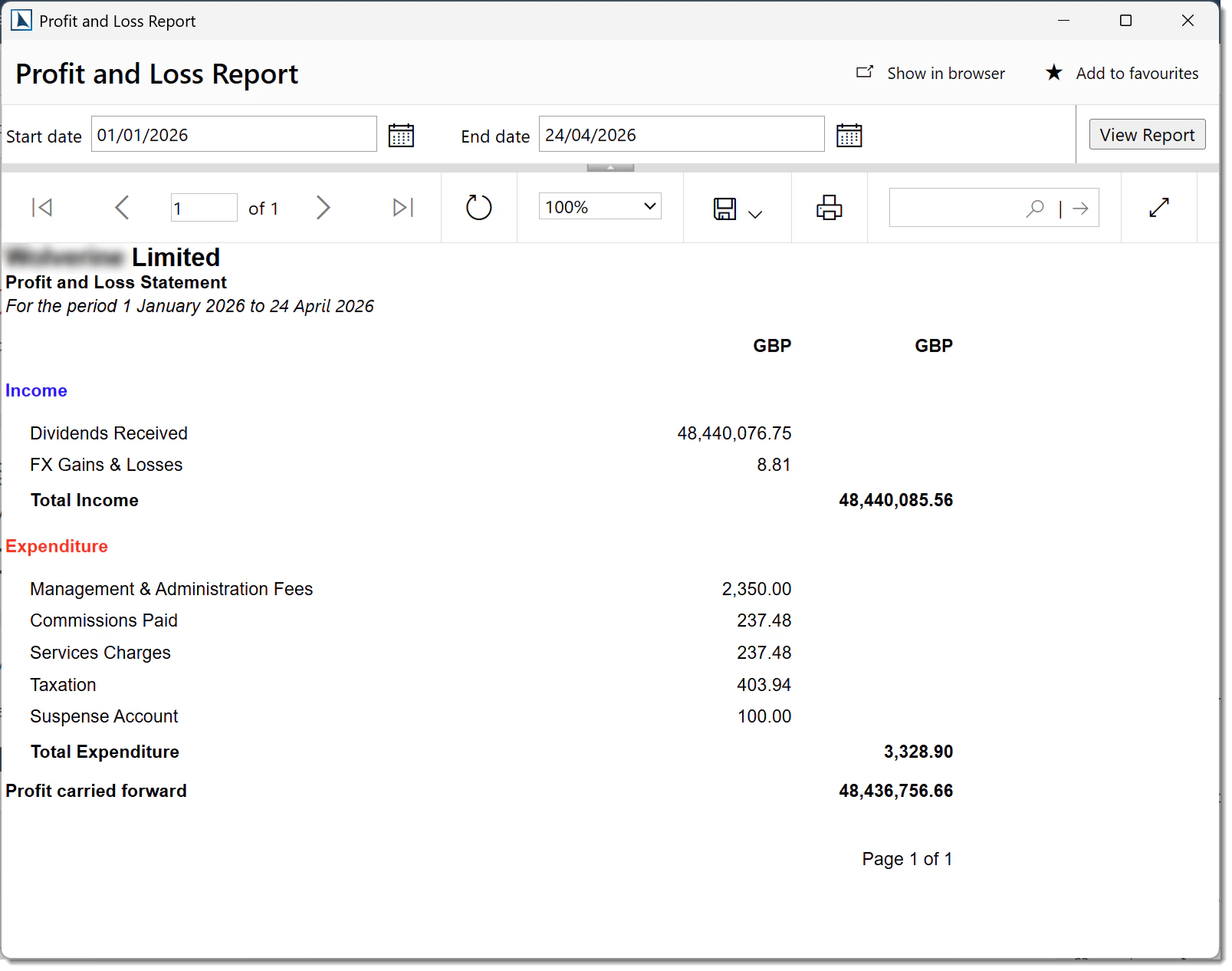
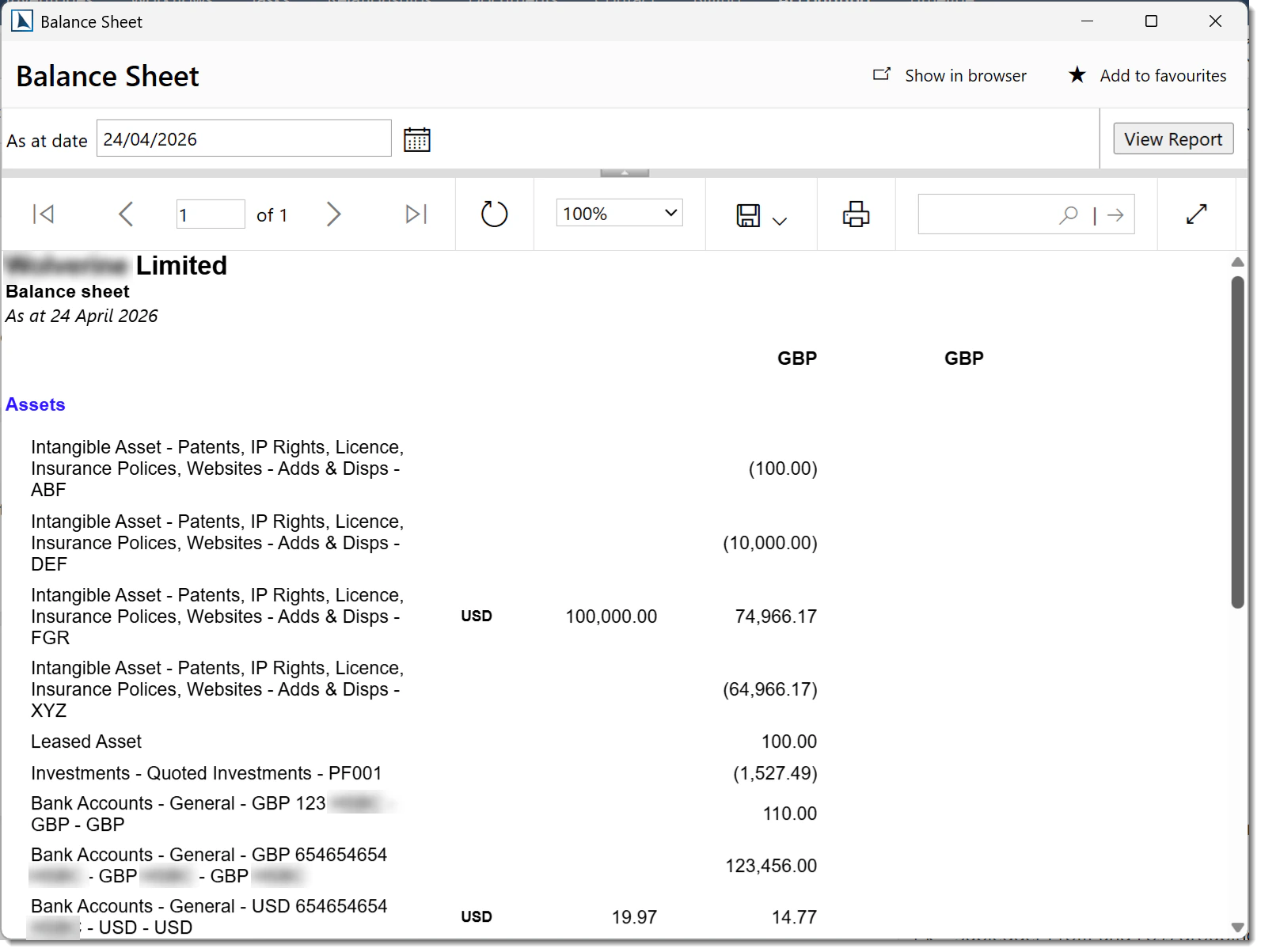
- Profit and Loss / Balance Sheet split – the old combined report has been split into two separate reports for clarity.
Report data improvements
- Entity ID is now included in multiple reports, transaction monitoring reports, and document markers.
- Reports now use the entity full name (rather than just first + last name) in share register and enriched entity views, and on the Global Inventories report.
- New Deceased date and Client closed date fields available in relevant reports.
- Date Classified and Comments added to two tax reports.
- Tax reports now check the new tax tables instead of the tax inventory for TIN and IndividualTaxJurisdiction.
- Implicit relationships are now included in the PEP connections section of screening reports.
- Added Relationships and ScreeningApiSyncStatus fields to the screening candidates report.
- The Register of Directors and Secretaries report now includes any secretary relationship, not just one specific type.
- Trust accounts statement: income and capital sheets are now excluded if they contain no data, keeping the output clean.
- Portfolio name now appears on the all-portfolios sub-report.
- Hidden inventories are no longer shown in the client-profile report.
- Connected/unconnected entities report now detects connections via fixed assets with improved recursive search logic.
- A new field shows comments on email addresses in relevant reports.
- Certain reports can now show historical data prior to the current year.
Excel export improvements
- Credits are now exported as actual negative numbers, ensuring totals calculate correctly in Excel.
- Column ordering in Excel and CSV exports is now fully consistent.
- Streamlined Excel exports to show only relevant columns.
Financial report template updates
- Trust accounts templates updated – removed subtitle text, updated income statement to hide empty rows.
- Company accounts templates updated to match trust template improvements.
- FrsTrust template now hides certain rows on the income statement when there is no data.
Performance
Workflow speed
- Faster workflow launch – the system no longer loads unnecessary template step data when launching a workflow, significantly reducing launch time.
- Additional optimisations to the workflow execution pipeline.
- Server-side in-memory steps – a new option allows all in-memory workflow steps to run on the server, keeping the interface fully responsive during heavy workflows.
Loading & responsiveness
- Entity fetch compression – data compression is now applied when fetching entities, improving initial load times noticeably, particularly for remote and international users.
- New background task handler – offloads in-memory tasks to a queued background thread instead of the UI thread, keeping the interface responsive.
Workflow Improvements
New capabilities
- Summarise fields from other steps – a workflow step can now pull summary fields from earlier steps.
- Generic inventory on bank accounts – you can now add bespoke fields to bank accounts, fixed assets, loans, and relations using generic inventories.
Improvements & refinements
- All reviewers in a workflow can now both submit for approval and request amendments from the initiator.
- Fixed assets can now be saved independently, outside of a workflow.
- Additional country risk scoring strategy – a new “Sum All Countries” strategy is now available, which totals the risk scores of all countries associated with an entity. This is in addition to the existing strategies: Unique Sum and Max Country Risk.
UI & Usability Improvements
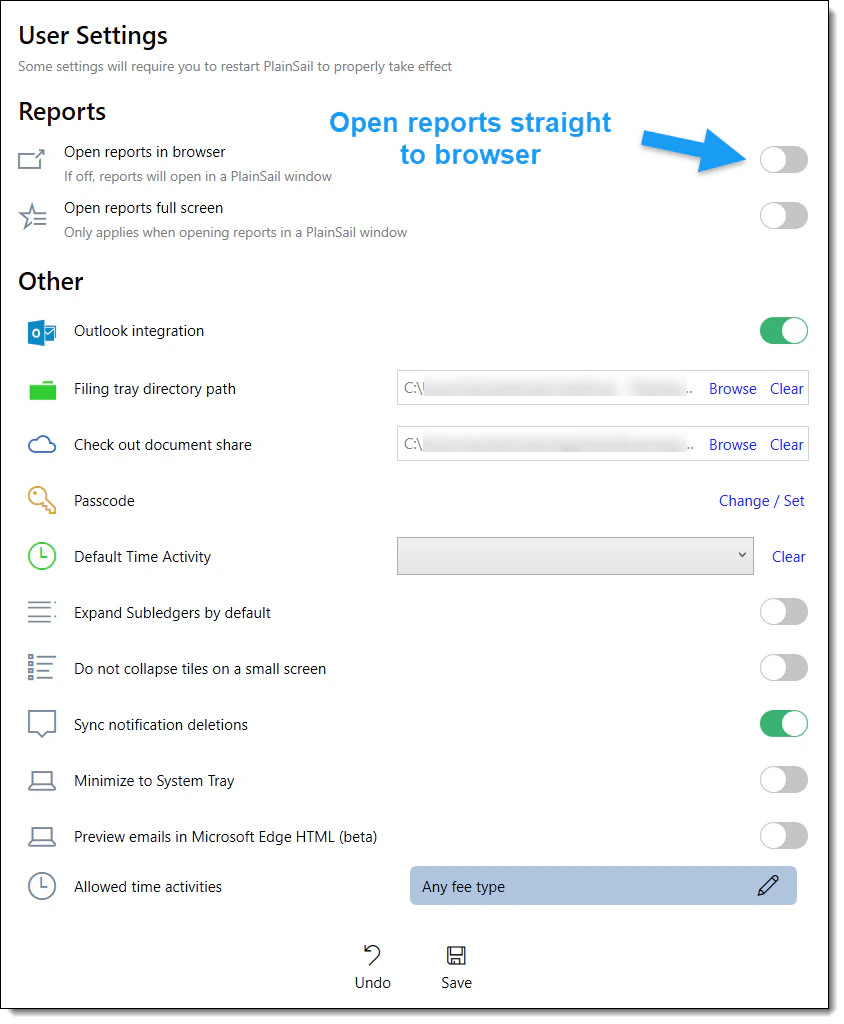
User settings panel refresh
The user settings panel has been visually updated with a cleaner layout. A new option has been added: Open reports straight to browser. When this is enabled, the existing “Open reports full screen” option is automatically disabled.
Show Labels toggle
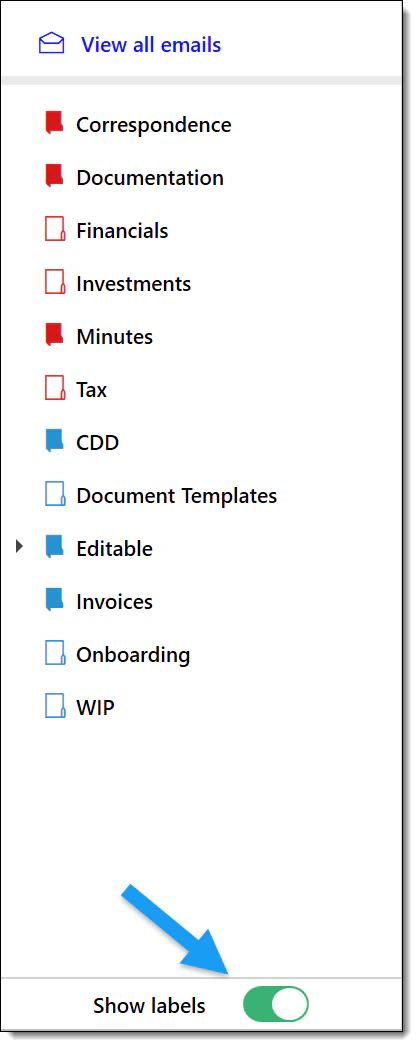
The separate “Workspaces” and “Labels” buttons have been replaced with a single “Show labels” toggle, simplifying the toolbar.
Document management
- You can now sort documents by document date – a frequently requested feature.
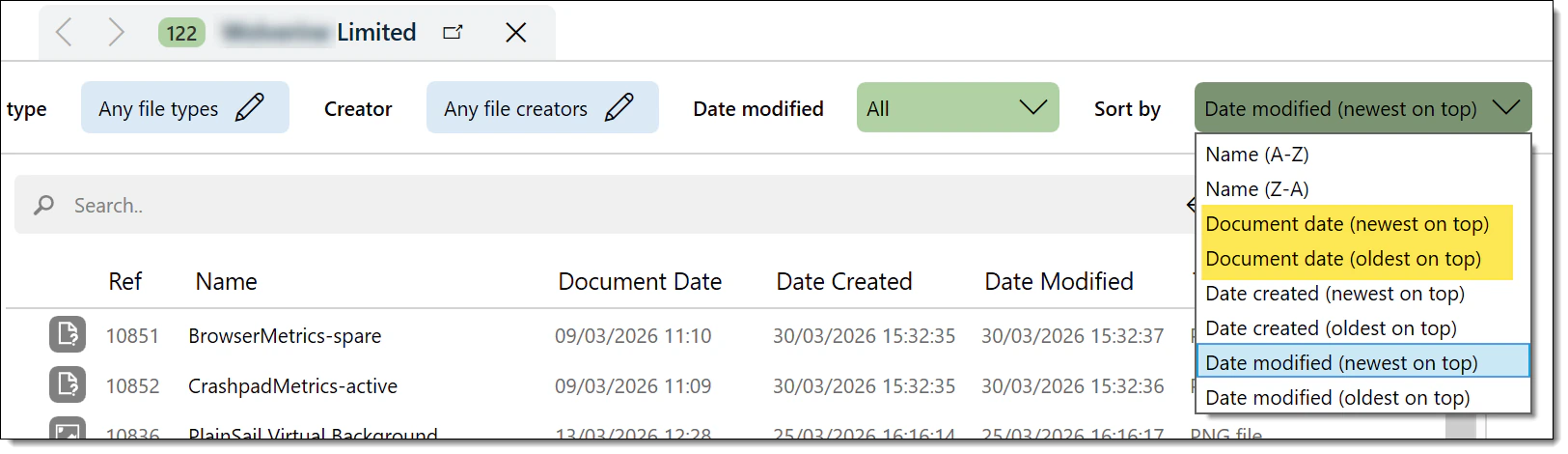
- Created/modified date sorting has been improved, and changing the document date no longer updates the modified date.
- Sort order in the dropdown now matches the order displayed in the UI.
- You can now clear a document date if needed.
- EML file indexing – email (.eml) files can now be indexed for search. The system uses the sent date, falling back to the received date, then the created date.
- Improved label handling during document import.
- Entity ID has been added to document markers.
Recycle Bin safety cap
“Select All” in the recycle bin is now capped at 5,000 items, guarding against accidental bulk deletion on very large datasets.
Credit notes
Credit notes now capture a mandatory comment, giving every credit note a clear audit trail and explanation on record.
Pinned reference fields
Pinned reference-type fields on the profile page now display the resolved display name for a clearer view.
Monitor and display handling
WebView2-based panels (reports, PDF previews, email previews) now gracefully handle monitor and docking changes. If you unplug a monitor or undock, the system detects the display change and rebuilds the WebView2 view automatically and near-instantly.
Other interface refinements
- WebView2 now always uses light mode regardless of your Windows system theme, ensuring a consistent appearance.
- WebView2 has been updated to the latest version.
- Updated the “filter by group” dropdown label to “No director” for clarity.
- Improved text wrapping and line breaks in several areas of the interface.
- Added a scrollbar to the Summary column when importing labels, so all items are accessible.
- Multiple document previewer improvements applied.
Banking & Integrations
- Enhance IntegrationProvider – initial version for portfolio data, working alongside existing providers (one provider per portfolio).
- Tiller API update – integration updated to support the latest geolocation response format, ensuring uninterrupted service.
- ChatBot updates – configuration updates and improved response handling for multiple events and a new answer event type.
- Screening escalation – process updated with a new inventory.
Outlook Plugin
Client search
Fixed a caching issue with search results in the Outlook plugin.
Email address comments
A new field now shows comments on email addresses, giving you more context when viewing contact details in the plugin.
Administration
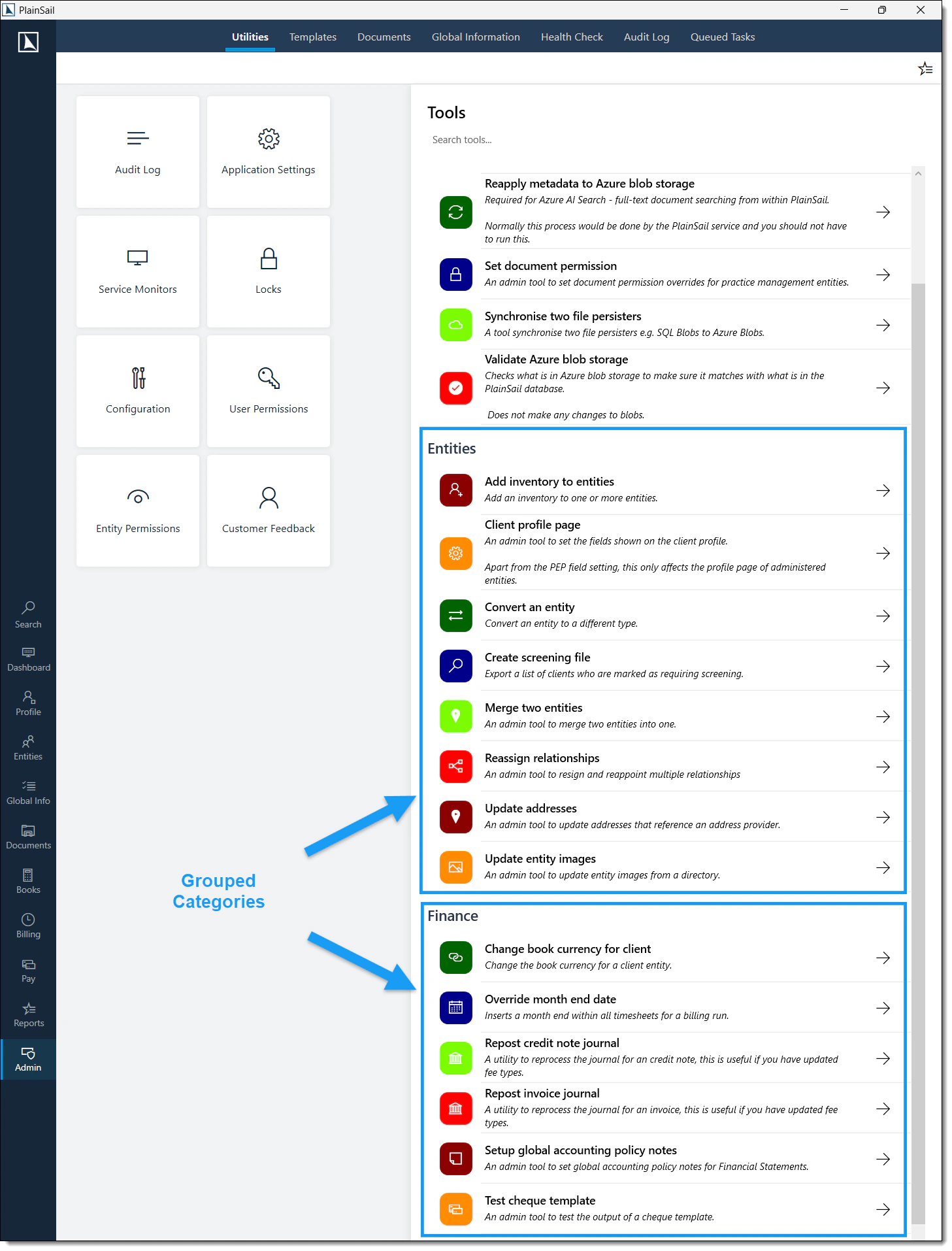
Admin utilities panel
Admin utilities are now grouped into ordered categories with a cleaner layout. The panel respects role-based access – when impersonating a user, you only see utilities that user has access to.
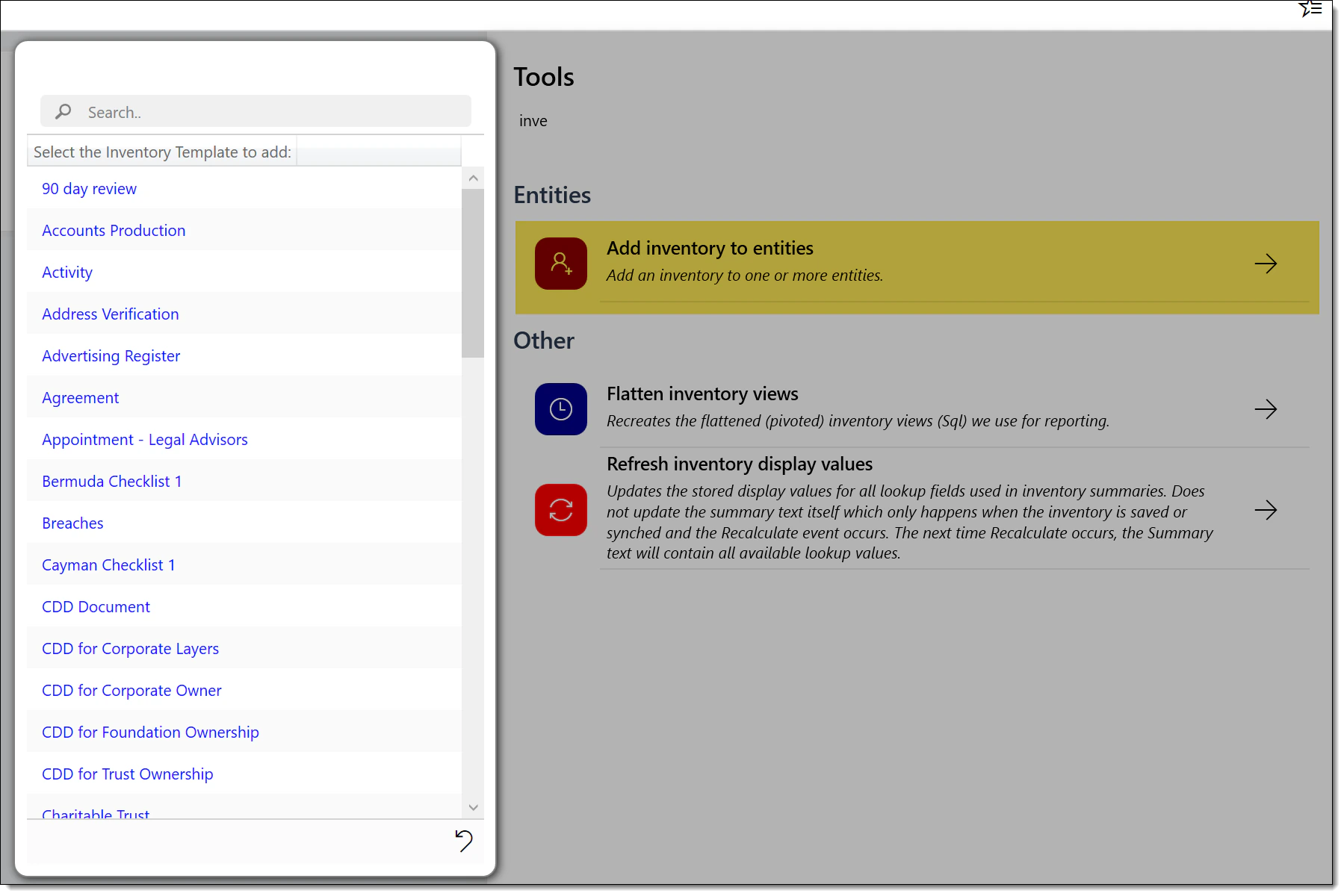
Push inventory to entities
A new admin utility lets you push an inventory out to one or more entities at once. Supports wildcard search to filter and select target entities quickly.
Test email in production
The “Test email” utility is now available to administrators in production databases.
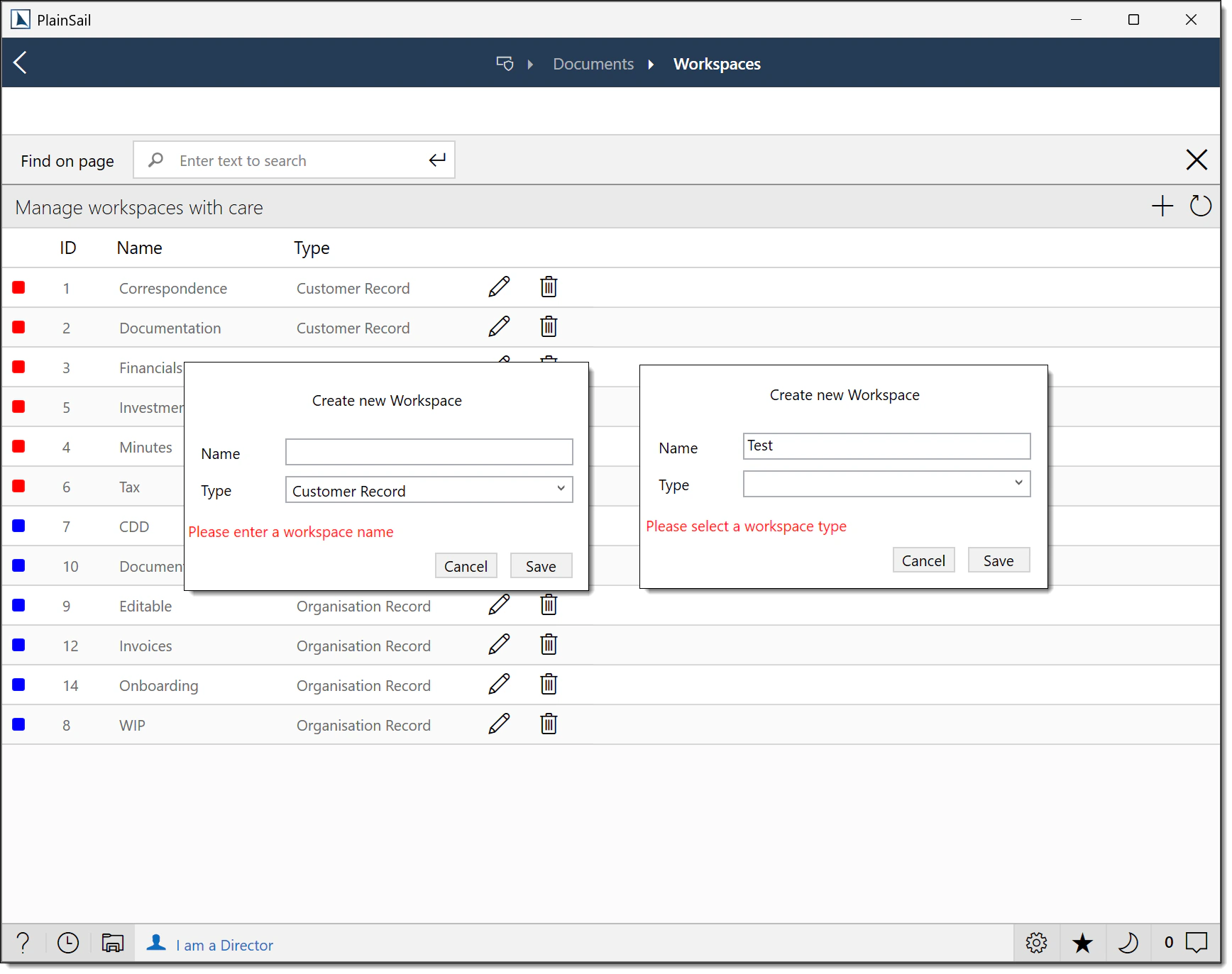
Workspace validation
Validation has been added when creating or editing workspaces – you can no longer create workspaces with blank names, duplicate names, blank categories, or non-standard types.
Billing & Fees
Exclude fee types from tax – a new setting lets you specify certain fee types that should never have tax applied, regardless of other tax rules.
v1.4.70.0
Released January 2026
Recurring fees enhancements, workflow & approval improvements, entity profile reporting, FATCA/CRS 2025 updates, and the Guernsey Igor API integration.
Recurring Fees
Significant improvements to how recurring fees are created, managed, and exported.
Excel export enhancements
The recurring fee Excel export now includes additional columns:
- Frequency
- Fee Date
- Invoice Timing
- Flat Fee ID
Fee periods & entity-level creation
- The Recurring Fees screens (entity-level and global) now include a new Fee Periods column showing key dates.
- You can now create recurring fees directly within an entity – no need to navigate to the global view.
- New recurring fees use the same interface as the global view for a consistent experience.
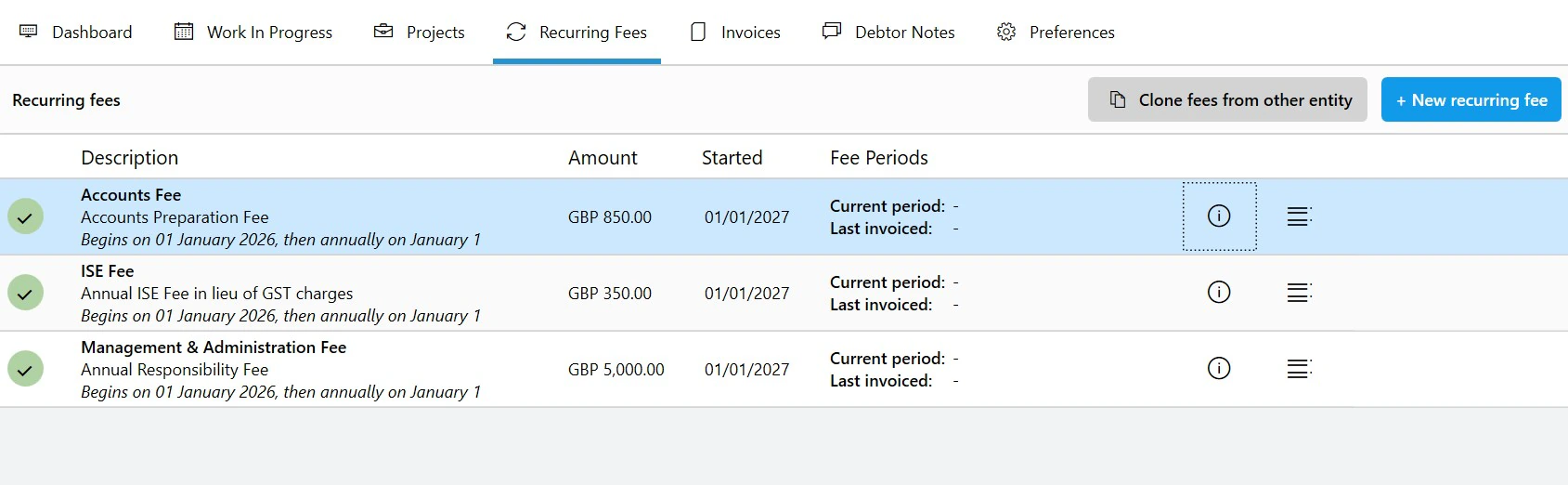
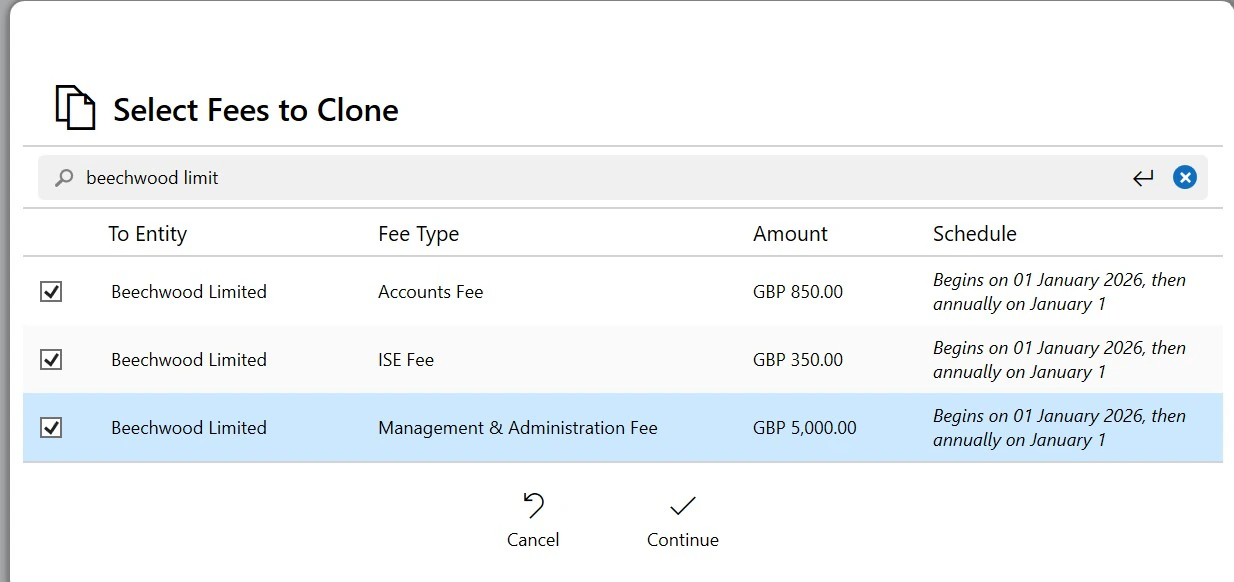
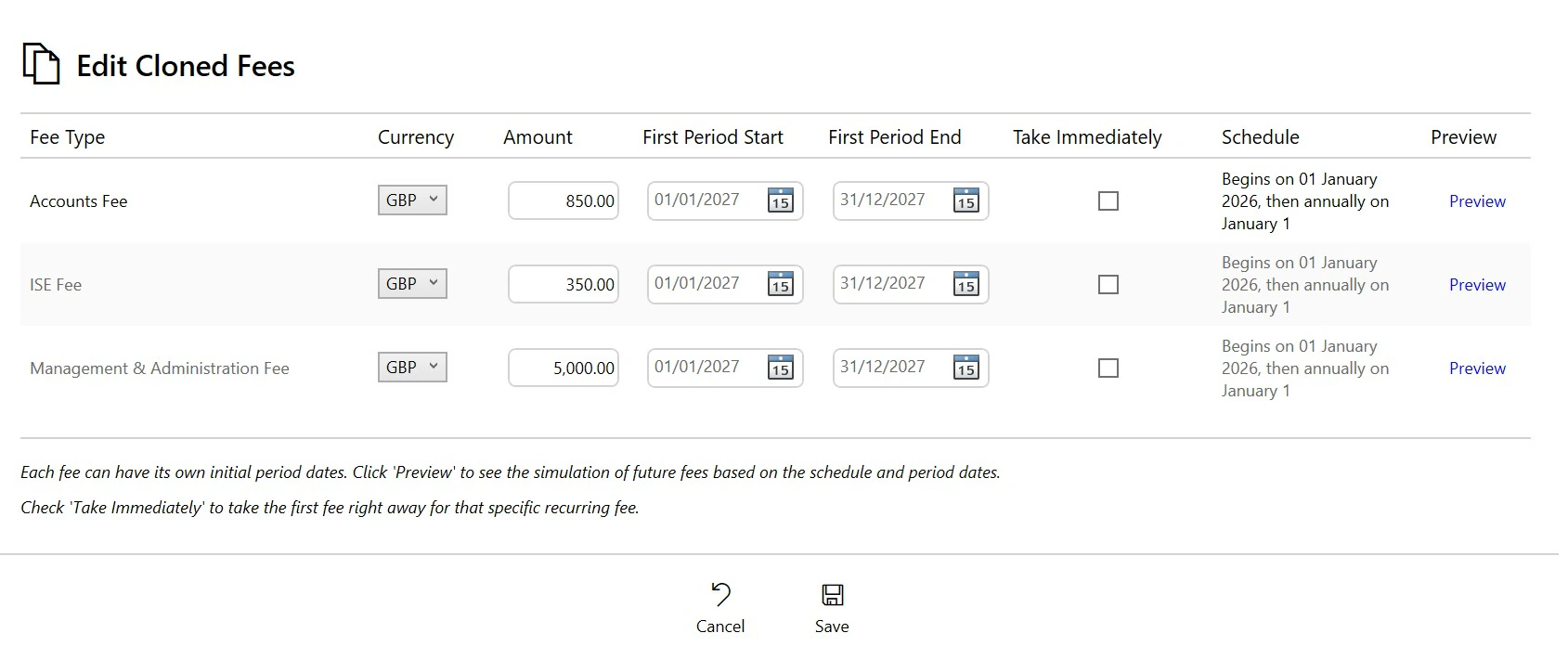
Clone fees workflow
Fees can now be cloned from another client – a five-step process:
- Search for an entity or entity type to clone from.
- Select the fees you wish to clone.
- Review the selected fees.
- Adjust currency, amount, fee period, and whether the fee is taken immediately.
- Preview and create the new recurring fees.
Financial Statements
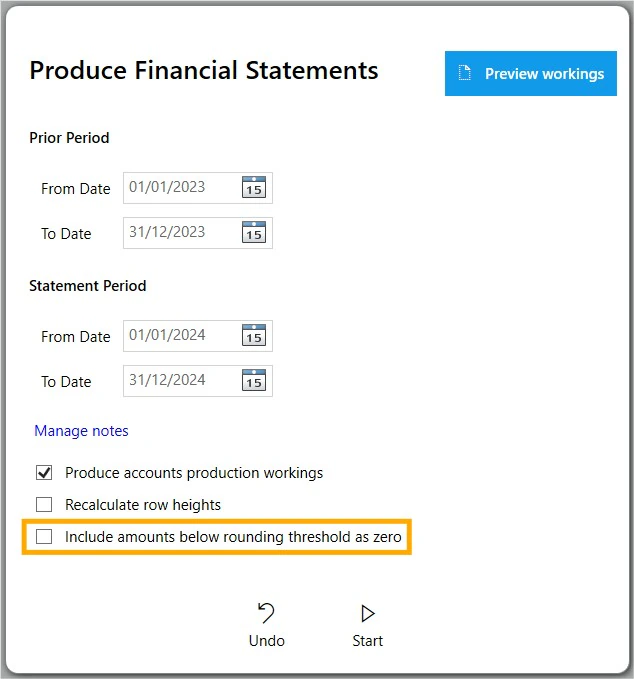
Added an option to include amounts below the rounding threshold as zero when generating financial statements. This prevents tiny rounding differences from appearing as non-zero values in published accounts.
Workflow & Approval Enhancements
- Clearer error handling – workflow error messages are now clearly displayed when a step encounters an issue.
- Retry failed steps – system administrators can now retry workflow steps that have failed.
- Inventory deletion approval – deletions can now be routed through a workflow approval process.
- Fixed-asset approval – fixed assets can now be configured to go through an approval workflow.
- Redesigned document picker – the document selection screen within workflows has been rebuilt to address performance issues when workspaces contain a large number of files.
Entity Created trigger improvements
The Entity Created workflow trigger has been updated to differentiate between:
- Administered entities
- Not-administered entities
- Both
This is useful for launching processes such as Corporate CDD for unadministered companies – you no longer need a single catch-all trigger.
Entity & Profile Management
- Fixed an issue where the formal name was not saved if an entity was not administered.
- Removed the entity picker on the ledger screen unless already populated (feature deprecation).
- Nationality is now displayed in a clearer format, e.g. "United Kingdom (British)".
- Rearranged fields on the Edit Person form into a more logical order.
- When merging entities, both the entity names and IDs are now displayed.
Entity ID styling
The entity ID in the profile tab now uses colour to indicate status:
- Green for administered entities
- Red for closed entities

Report section control
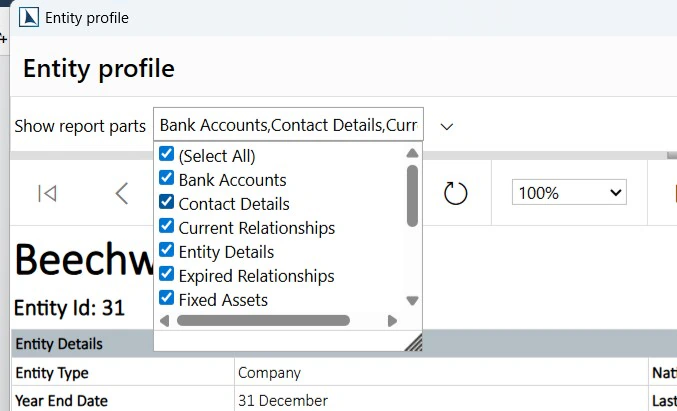
A new dropdown on the Entity Profile allows specific sections to be hidden from reports, giving you fine-grained control over what appears in printed or exported entity profiles.
Cleanup improvements
- Shareholders with zero shareholding are no longer shown.
- Disposed fixed assets are no longer shown.
- Closed bank accounts are no longer shown in their respective sections.
Administration & Utilities
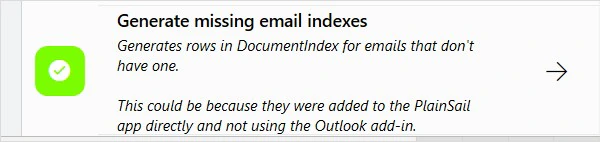
- Added an admin utility to generate missing email indexes – useful for restoring search capability after data migration.
- Added a system configuration option to include middle names in FormalName and HolderName document markers when used in share certificates.
- Added a new marker for Share Certificates to include the comment directly on the certificate.
UI & Usability Improvements
- Various UI improvements to the Account Groups setup page.
- Added a tooltip to the Void button on invoices and credit notes when the button is disabled, explaining why the action is unavailable. No more guessing why you can't void.
Documents & Dates
Improved handling of document date stamps so that dates entered via Edit Document Date are retained and not overwritten by subsequent updates or refreshes.
Time Recording & Reporting
- Fixed an issue on the Approve Timesheets popup where the utilisation figure was incorrect.
- Improved accuracy of Recent Clients and Recent Activities lists when time recording.
- Enhanced Connected Entities and Unconnected Entities reports to better detect relationships.
Data Import
Updated the multi-entity document importer tool with:
- UI and error-handling improvements for a smoother import experience.
- Support for importing by PlainSail Entity ID in addition to "Other Ref" – more flexibility for matching records.
Outlook Add-In (v1.19)
Closed entities can now be selected in the Outlook Add-In. Previously, closed entities were filtered out – now you can file emails against entities even after they've been closed.
FATCA / CRS – 2025 Changes
A first round of FATCA/CRS updates based on customer feedback and minor regulatory changes (Jersey). These changes are currently in UAT (January 2026) with a potential follow-up release after further feedback.
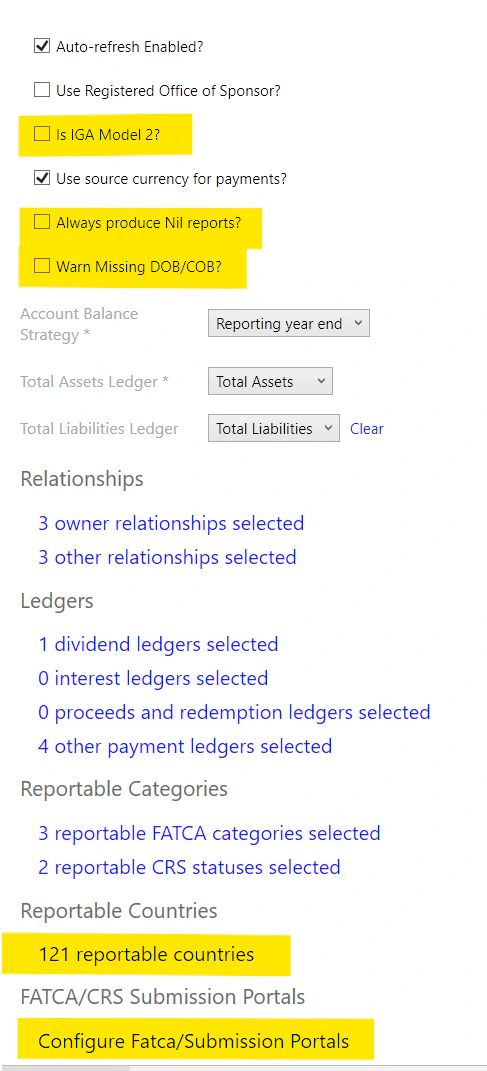
IGA Model 2
If you are reporting under FATCA IGA Model 2 (e.g. Switzerland), you can now tick this box and all your balances and payments will be reported in dollars. There are no other consequences of selecting this option.
Always Produce Nil Reports (CRS)
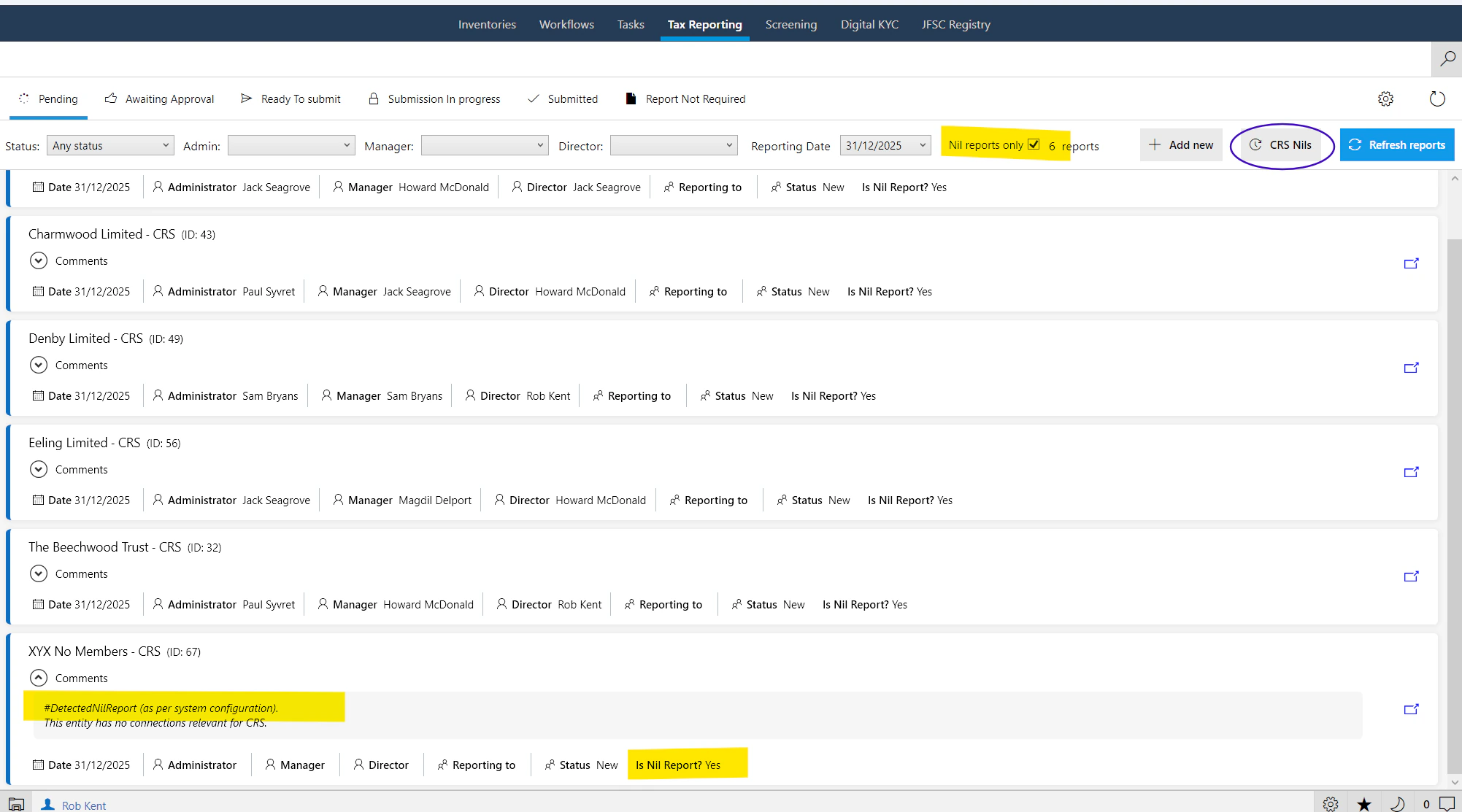
Certain jurisdictions now require Nil reports for any reportable entity that doesn't have anything to report. When enabled, PlainSail creates an empty Nil report that you submit in the normal way instead of simply marking the entity as "Report Not Required".
Because there may be a large number of Nil reports, new screen filters for selecting all Nil reports, bulk verification, and bulk submission have been added.
Warn Missing DOB / COB
Optional validation warnings for missing Date of Birth and Country of Birth. When enabled, reports cannot be verified or submitted until the information is provided.
Reportable Countries
Centralised management of reportable countries in a single list – no more navigating to Admin > Global > Countries and editing each one individually.
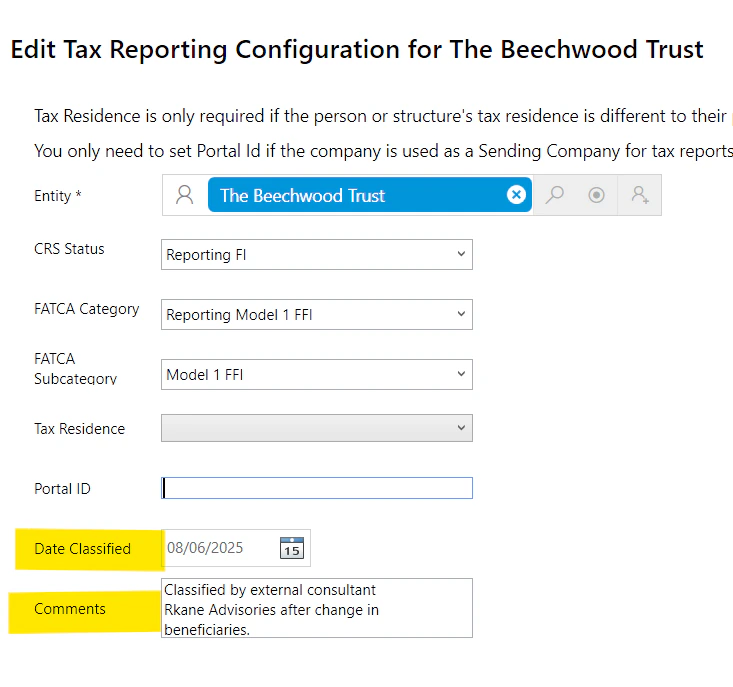
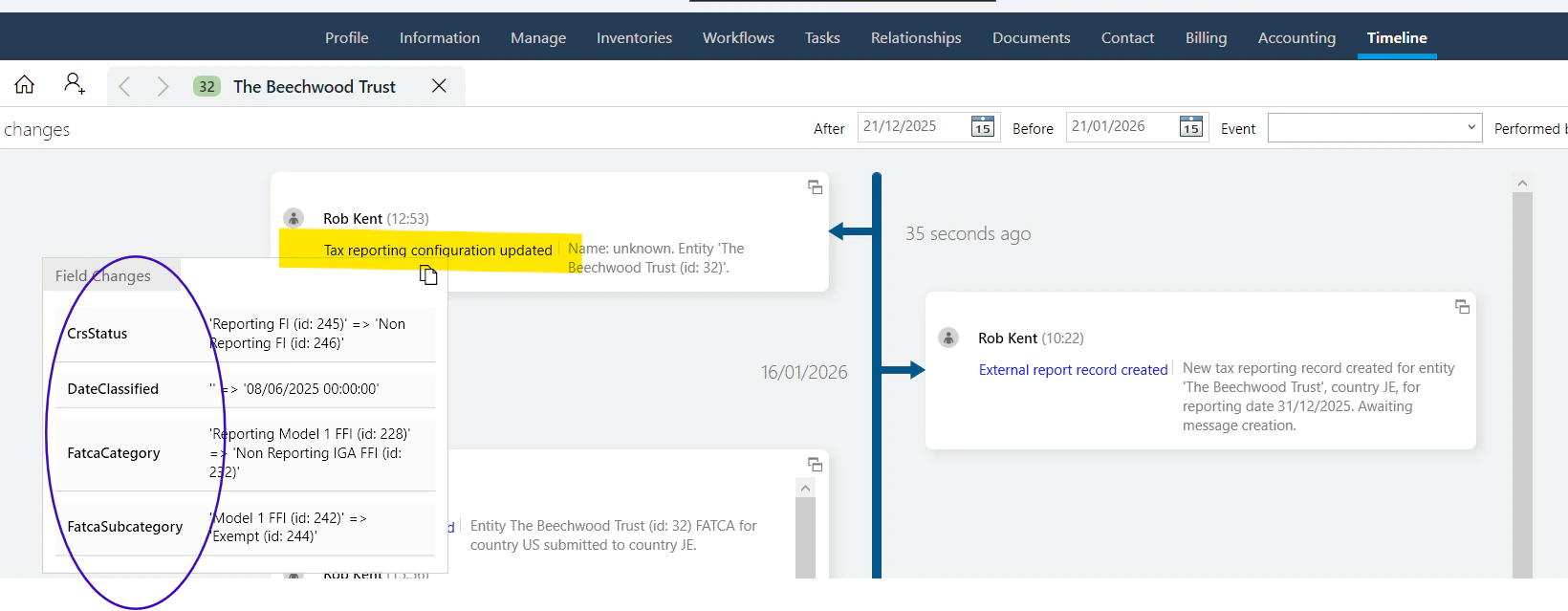
New Classification Date & Comments
Added Classification Date and Comments fields to the Tax Configuration screen. Changes are visible on the entity timeline (classification history is not stored separately).
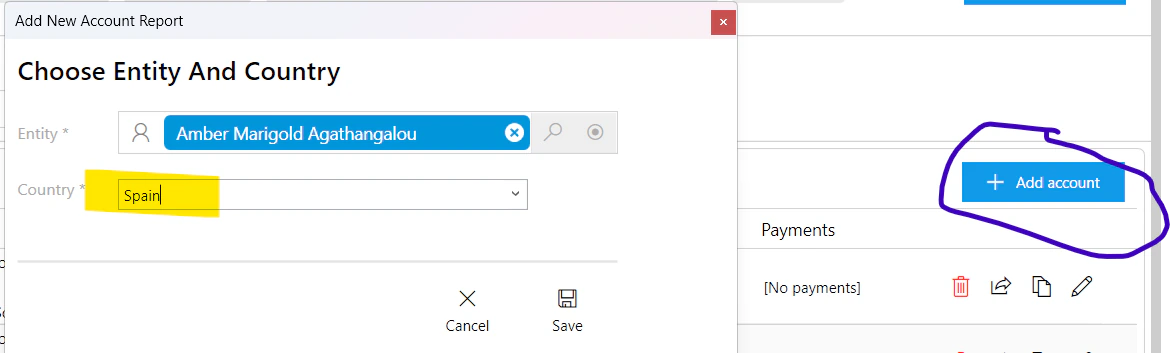
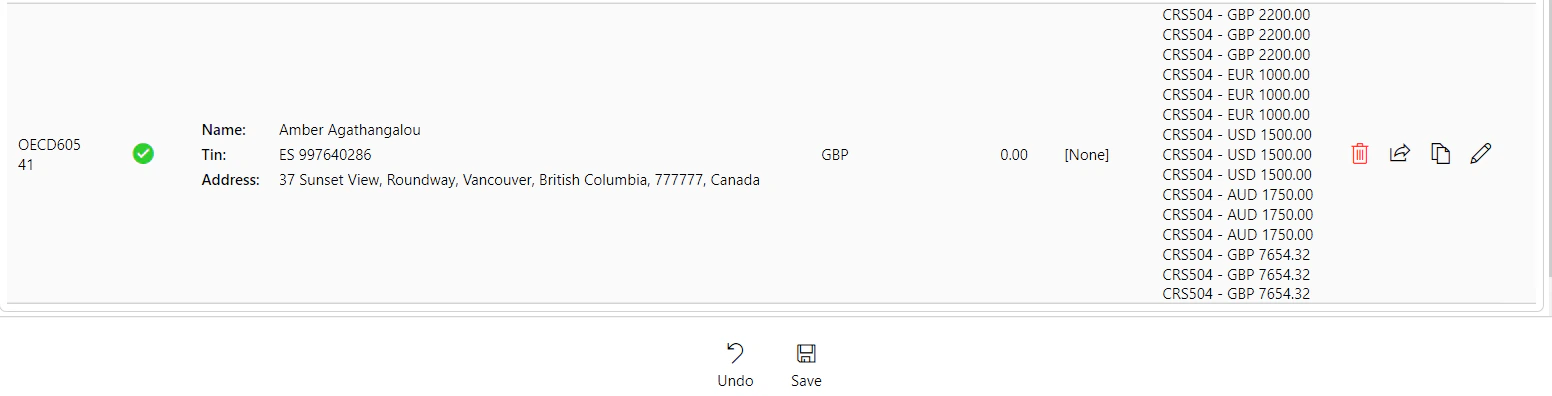
Better Add Account (Report Editor)
In the report editor, you can now add and auto-populate a new account report that wasn't in the original generated report. Select an entity and PlainSail retrieves all of their information as if it was generating a new report – no need to delete and recreate.
Guernsey Igor API Integration BETA
PlainSail can now submit FATCA/CRS reports singly or in bulk through Guernsey's Igor API. As this is the first year and it has not been fully tested beyond the PlainSail test account, this feature is currently a BETA offering.
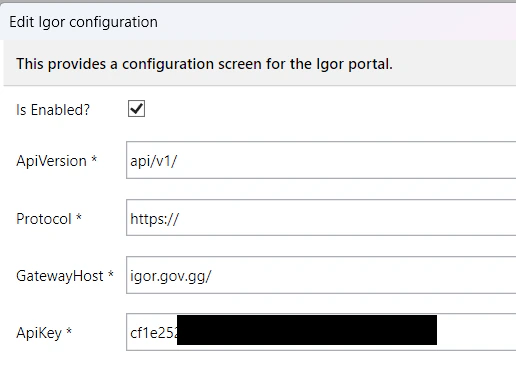
To use the Igor API, you'll need a test account and API key. The configuration screen:
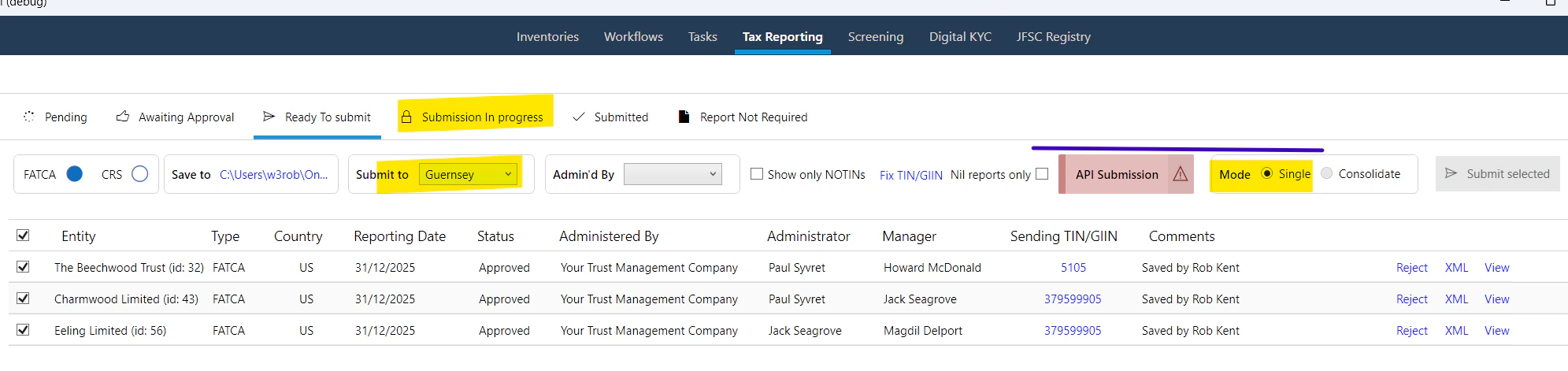
Once configured and enabled, when you select Guernsey as the receiving country on the Ready to Submit tab, you'll see the API Submission icon indicating reports will be submitted via the API.
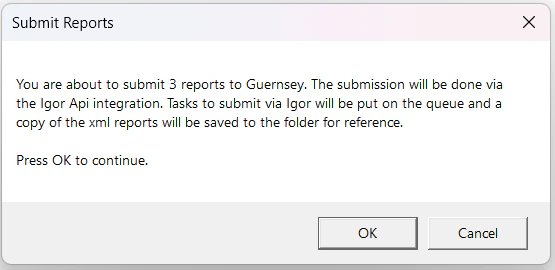
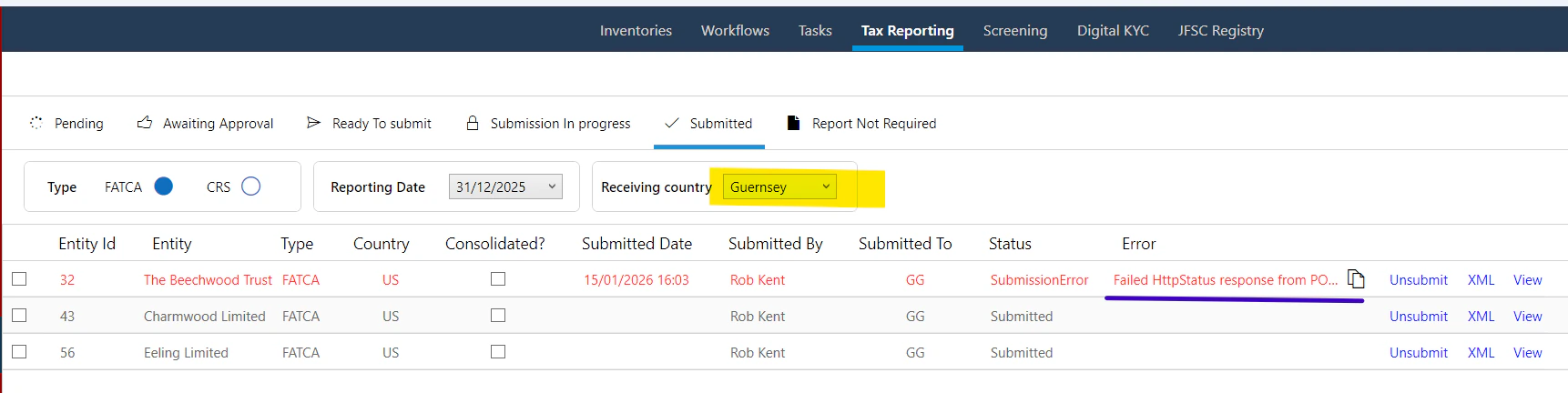
Because the Igor API is called in the background for each file, a queued task is created for each file. While waiting, the report is given a status of SubmissionInProgress and sits in the "Submission in progress" tab until processed, then moves to "Submitted".
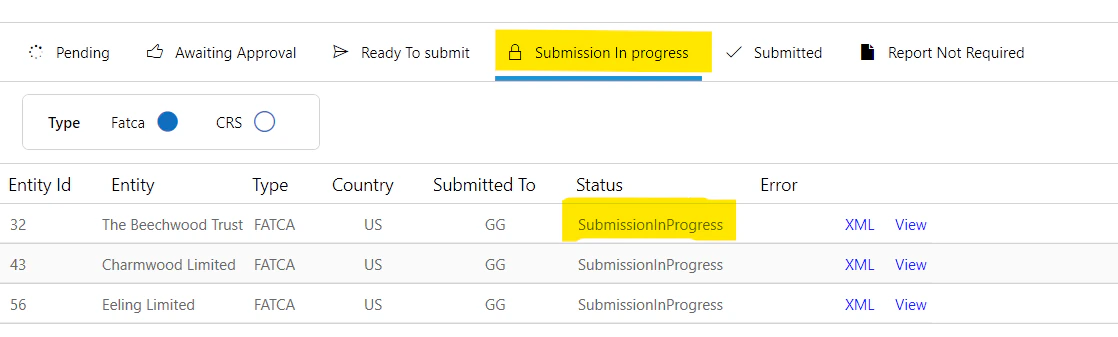
If there was an error calling the API or the report was rejected, the Submitted report will show an error status and message. You should investigate the cause and either unsubmit and correct it, or manually upload the XML file.
Have a feature idea?
We build what our clients need. Submit a request through our service desk and help shape the roadmap.
Open Service Desk